Procurement
Staff Admin
Procurement takes a purchase from "we need this" to "it's delivered and paid". It checks that the money is in the budget, applies your procurement rules (how many quotes, or whether a tender is needed), gets the right approvals, runs a fair competition with sealed bids and an evaluation committee, and then raises the order, records delivery and matches the invoice.
Module: npo_procurement
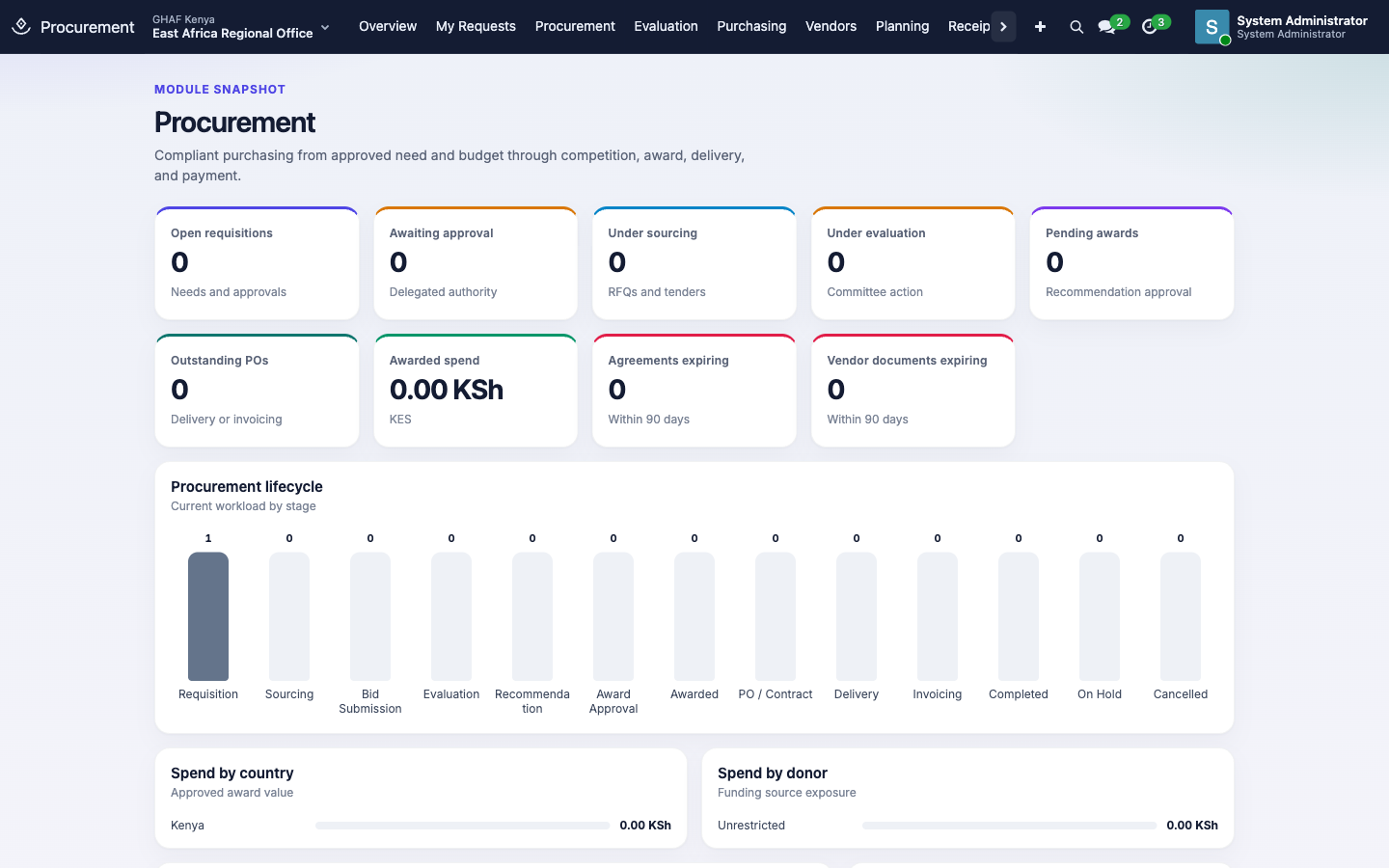
In plain words
- Every purchase starts with a purchase requisition: what's needed, by when, how much it should cost, and which budget line pays for it.
- Amana checks the budget and reads your procurement thresholds to decide how to buy, based on the amount and category. For example: a petty purchase, a request for quotation with three quotes, or an open tender.
- The requisition is then approved through the Approvals app.
- An approved requisition becomes a procurement case: the full file for the purchase, from sourcing to payment, that an auditor can follow from end to end.
- Competitive purchases use sealed bids, an evaluation committee that declares conflicts of interest, and an award recommendation that's approved before any order is placed.
Before you start
- Procurement categories exist, such as Goods, Services and Works (Configuration › Procurement Categories).
- Procurement thresholds are set for each currency your offices use, from your procurement manual: which amount bands use which method, and how many quotations (Configuration › Procurement Thresholds). Without them, every requisition stops with No procurement threshold or grant procurement rule matches this requisition.
- Each office has an active Purchase Request approval policy in its currency. See the approval checklist.
- The budget line the money comes from is in an active budget.
- Suppliers you buy from have an approved vendor profile with their compliance documents (Vendors).
Interim thresholds
Until your procurement manual's figures are entered, these interim bands apply (Configuration › Procurement Thresholds). Uganda and Tanzania use the same bands at round local amounts. Add donor-specific limits under Configuration › Grant Rules.
| Method | Quotations | KES | UGX | TZS |
|---|---|---|---|---|
| Petty Purchase | 1 | up to 50,000 | up to 1.5M | up to 1M |
| Request for Quotation | 3 | 50,000 – 1M | 1.5M – 30M | 1M – 20M |
| Competitive RFQ | 3 | 1M – 5M | 30M – 150M | 20M – 100M |
| Open Tender | 3 + committee | above 5M | above 150M | above 100M |
Who uses it
| Role | What they do | Access level |
|---|---|---|
| Requester (any staff member) | Raises requisitions and follows them in My Requests. | Procurement › Requester |
| Procurement officer | Runs cases: RFQs, tenders, bids, purchase orders, receipts and vendors. | Procurement › Procurement Officer |
| Evaluation committee member | Declares conflicts and scores bids. | Procurement › Evaluation Committee Member |
| Sealed bid custodian | Opens sealed bids at the set time. | Procurement › Sealed Bid Custodian |
| Procurement manager / auditor / administrator | Oversight, audit, and Configuration (methods, thresholds, grant rules, categories). | Procurement › Procurement Manager / Procurement Auditor / Procurement Administrator |
Staff with only Requester access see two menus, Overview and My Requests.
1. Raise a purchase requisition
- Open My Requests and click New.
- Enter a Name, the Required Date, and the Organization Unit (your office).
- On Items / Services, add a line per item:
- Description.
- Category: use the same one on every line, so one procurement rule applies.
- Quantity and Estimated Unit Price.
- Budget Line: the approved line that pays for it.
- On Justification & Documents, explain why it's needed and attach quotes or specifications.
- Save, then click Check Budget & Policy. Amana:
- checks the budget line has enough available (Budget Check State);
- picks the Method, Threshold and Minimum Quotations from your rules, and flags Prior Donor Approval if a grant rule requires it.
- Click Submit for Approval. Only the requester can submit.
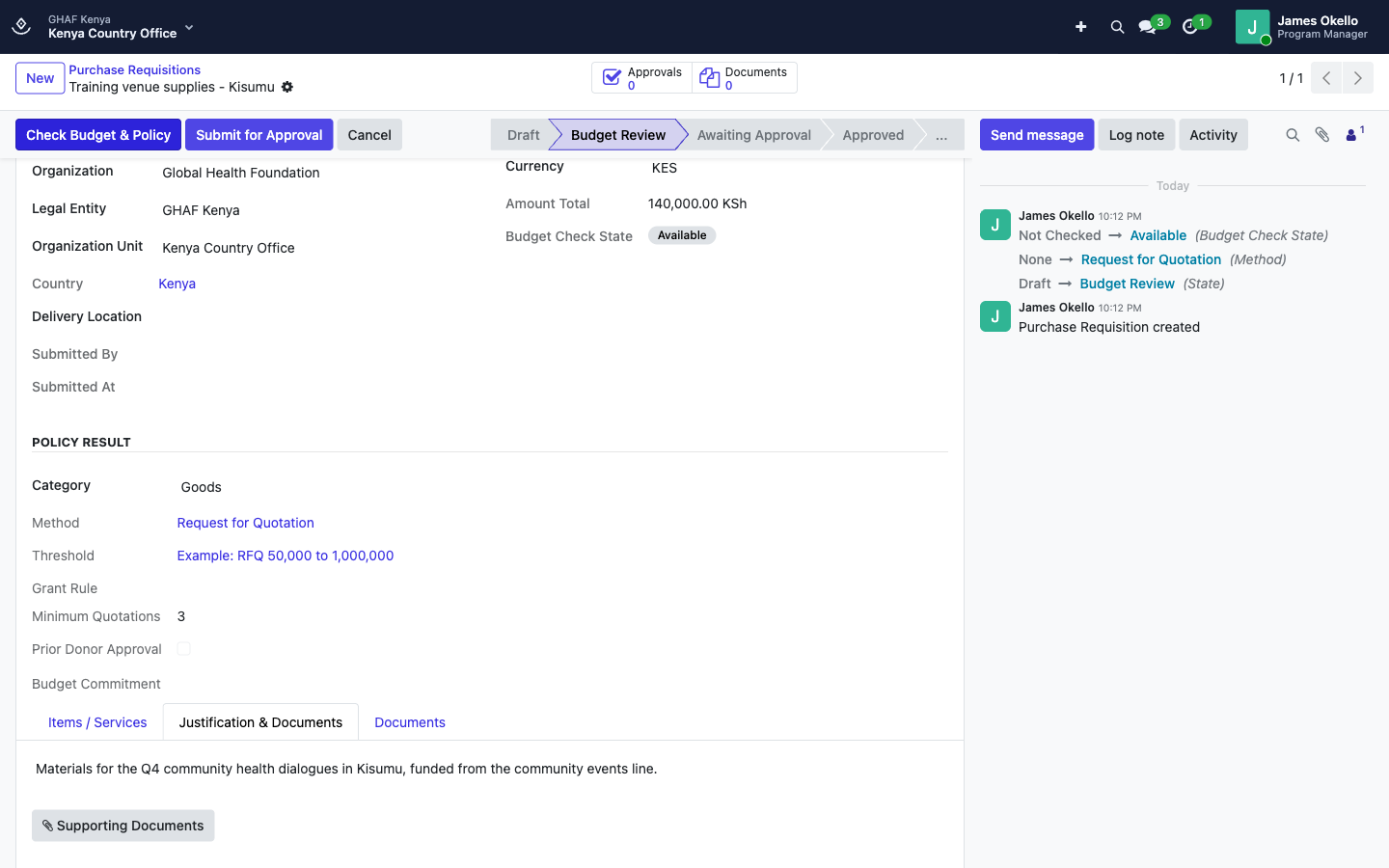
The requisition then goes through the Purchase Request policy, for example Finance review and then the Country Director:
If budget control blocks the requisition, ask the budget owner for a transfer, or raise a budget exception if the control rule allows one.
2. Run the procurement
A procurement officer opens the approved requisition and clicks Create Procurement Case.
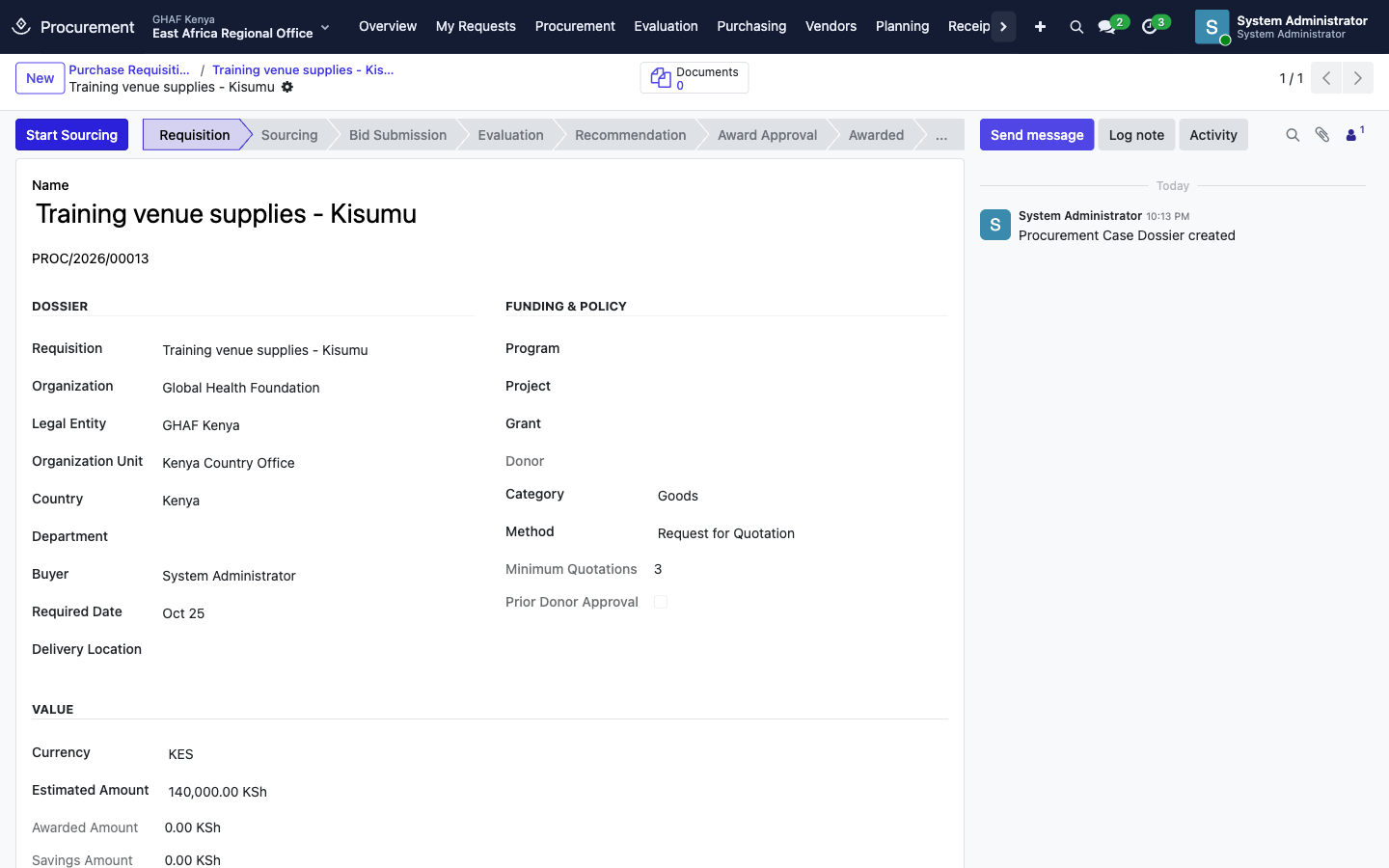
The case moves through:
Requisition → Sourcing → Bid Submission → Evaluation → Recommendation → Award Approval → Awarded → PO / Contract → Delivery → Invoicing → Completed
| Stage | What happens | Buttons |
|---|---|---|
| Sourcing | Invite suppliers. For quotations, create an RFQ / RFP. For an open tender, create a Formal Tender, which needs its own approval before publishing. | Start Sourcing, Create RFQ, then on the RFQ Publish / Invite; on a tender Submit Tender for Approval, Publish Tender |
| Bid submission | Suppliers' bids are recorded and sealed. Nobody sees prices before the opening. | Seal & Submit on each bid; Close Submissions |
| Opening | The sealed bid custodian opens all bids together. | Open Sealed Bids |
| Evaluation | The committee members sign a conflict declaration (anyone with a conflict is recused), then score technical and financial parts. | Start Technical Evaluation, Open Financial Evaluation, Complete Evaluation; Mark Responsive on bids |
| Recommendation | The committee recommends a supplier. The award recommendation goes through Approvals. | Submit for Approval |
| Order | Once the award is approved, raise the order. | Create Purchase Order |
| Delivery | Record what arrived: goods in Goods Receipts; services in Service Receipts (Submit, then Accept Service or Reject Service). | — |
| Invoicing | Match the supplier's bill to the order and the receipt. | Purchasing › PO / Invoice Matching |
When something can't follow the normal rules (sole sourcing in an emergency, or fewer quotes than required), record a Procurement Exception with its justification and evidence, and Submit for Approval.
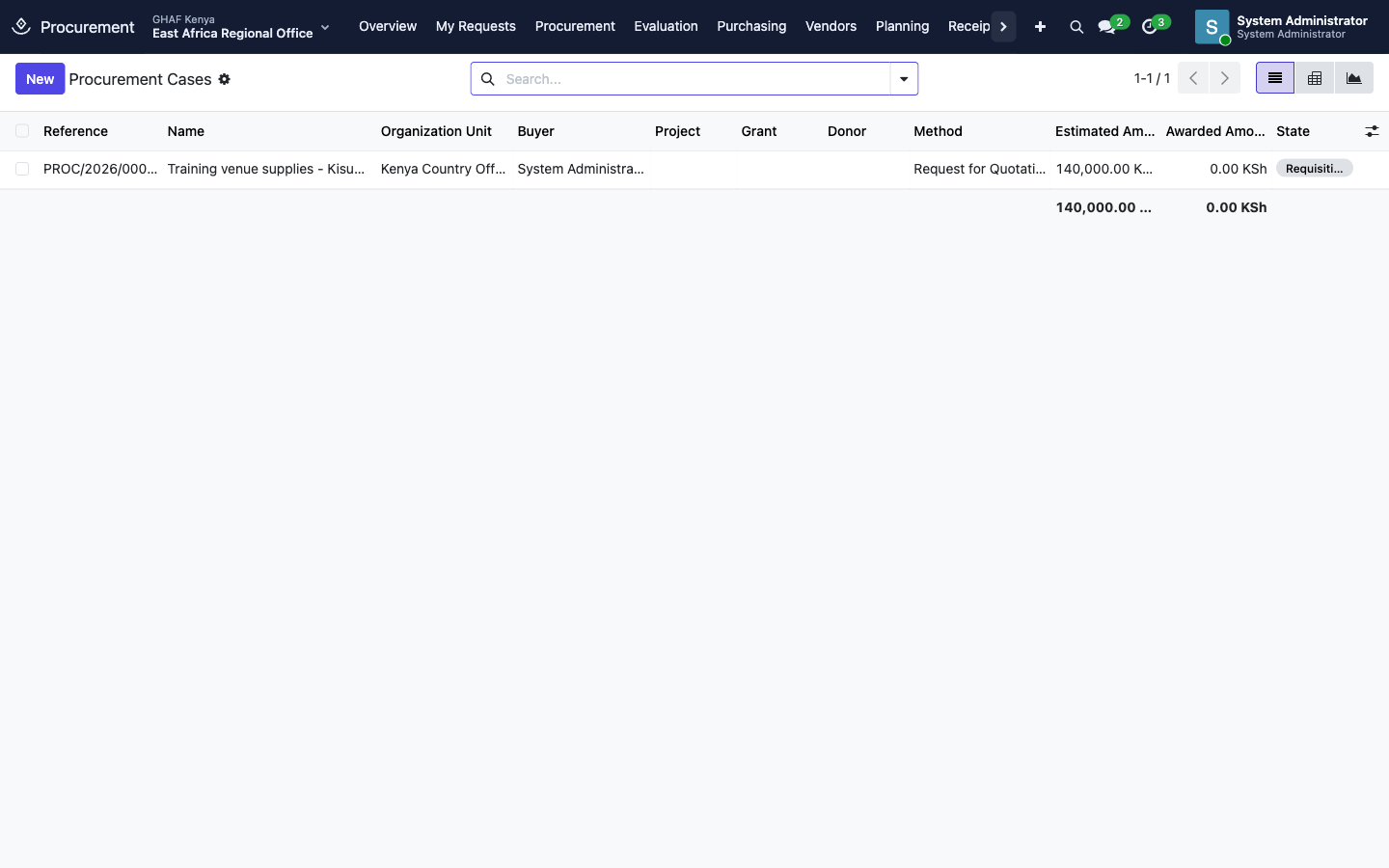
Vendors
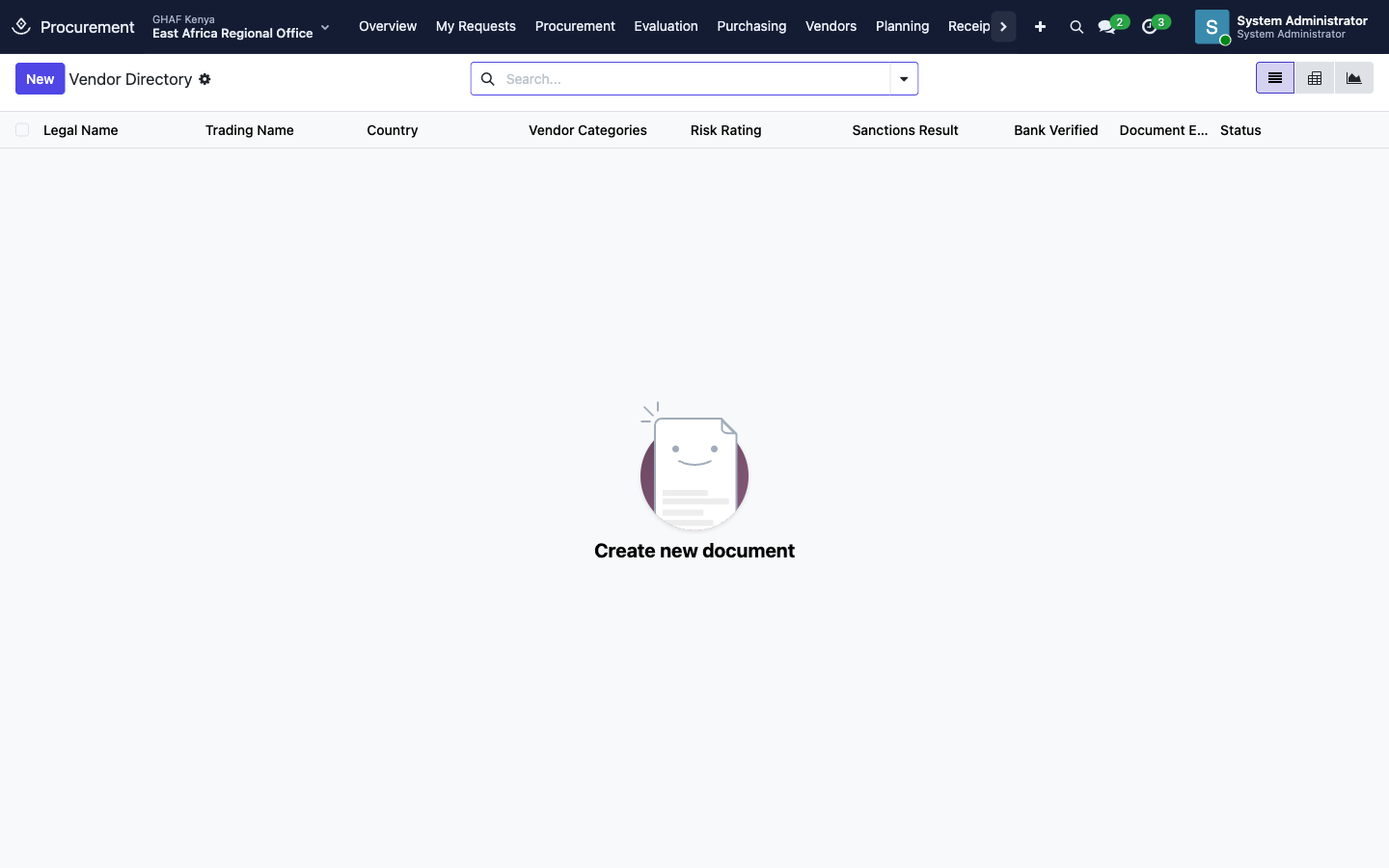
Vendors › Vendor Directory holds every supplier's profile. A vendor goes Prospective → Under Review → Prequalified → Approved. It can also be Suspended or Blacklisted.
- Start Review, then Approve Vendor once their compliance documents are in place and verified: registration, tax compliance, bank letter and signed code of conduct. That's checked by a requirement rule in Documents.
- Prequalification runs a formal application and due-diligence review.
- Vendor Performance records how suppliers delivered, for future decisions.
- The overview warns about vendor documents expiring within 90 days.
Planning, framework agreements and call-offs
- Planning holds the annual procurement plan: planned purchases by quarter, approved like a budget.
- Purchasing › Framework Agreements are long-term agreements with pre-agreed prices. During the agreement, staff raise Call-Off Orders against them without a new competition.
- Purchasing › Inventory by Award / Project shows stock bought for each grant or project.
Troubleshooting
\"No procurement threshold or grant procurement rule matches this requisition.\"
There's no threshold for this amount, currency and category. An administrator adds one under Configuration › Procurement Thresholds. See Before you start.
\"Every requisition line must identify its approved budget line.\"
Fill in Budget Line on each item. The line must belong to an active budget.
\"All lines in one requisition must use the same procurement category…\"
Split the requisition: one for goods, another for services.
\"Run the budget and procurement policy checks before submission.\"
Click Check Budget & Policy first, after any change to the items.
\"This requisition is blocked by budget control.\" / \"Approve a budget exception before submitting this requisition.\"
The budget line doesn't have enough available. Ask for a budget transfer, or get the budget exception approved.
\"Only the requester can submit this requisition.\"
Ask the person who raised it to submit it.
\"No active approval policy matches this request.\"
The office has no active Purchase Request policy in this currency. See the approval checklist.
\"Explain any declared conflict of interest.\"
On the conflict declaration, describe the conflict. The member is then recused from that evaluation.