Programs & Projects
Staff Admin
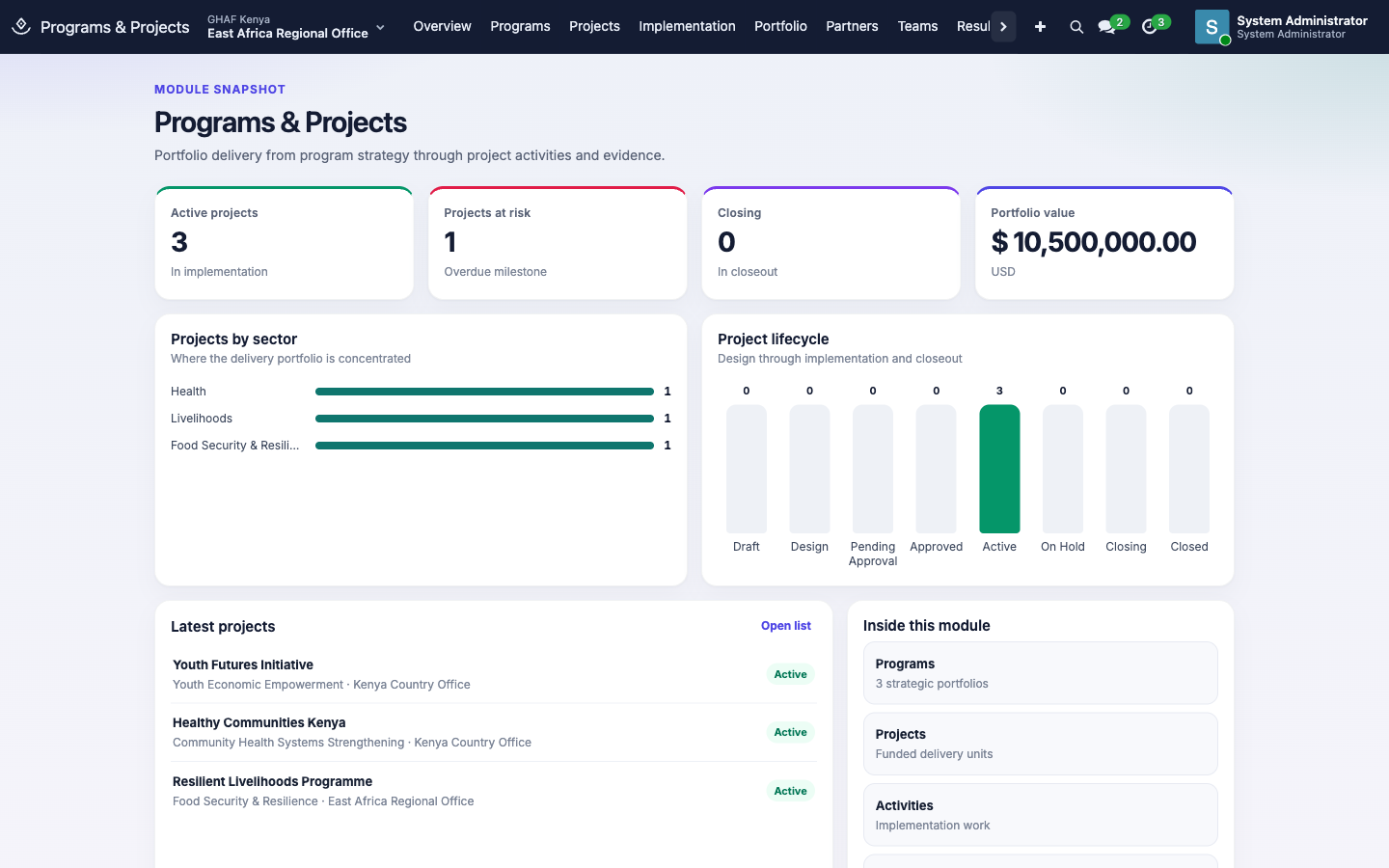
Programs & Projects is where delivery is planned and tracked. A program is a long-running strategy, such as Community Health Systems Strengthening. A project is a funded piece of work under it, run by one office, with dates, a manager, activities, milestones, deliverables and indicators. Grants, budgets, travel and purchases all point back to projects.
Module: npo_programs
In plain words
- A program is a long-term goal, such as stronger community health systems. A project is a funded piece of work towards it, run by one office for a set period.
- A project moves from idea to design to approval before any work starts, and through a closeout at the end.
- Approval goes through the Approvals app, so each office needs a Project approval policy.
Before you start
- The programs and sectors you'll use exist (Programs and Configuration).
- Each office has an active Project approval policy in its own currency (KES, UGX or TZS). See the approval checklist.
- Project managers have Programs & Projects › Manager access, because some steps are reserved for managers.
Who uses it
| Role | What they do | Access level |
|---|---|---|
| Viewer | Follows programs and projects, for example country directors and finance staff. | Programs & Projects › Viewer |
| Programme officer | Creates projects, submits concepts and designs, updates activities and results. | Programs & Projects › Officer |
| Project or programme manager | Moves projects through design, start, hold and closeout. | Programs & Projects › Manager |
| Administrator | Manages the reference lists under Configuration. | Programs & Projects › Administrator |
Each level includes the one above it.
How a project moves
flowchart LR
    D[Draft] -->|Submit Concept| C[Concept Review]
    C -->|Start Design| G[Design]
    G -->|Submit for Approval| P[Pending Approval]
    P -->|approved in Approvals| A[Approved]
    P -->|returned or rejected| G
    A -->|Start Project| X[Active]
    X <-->|Put on Hold / Resume| H[On Hold]
    X -->|Start Closeout| L[Closing]
L -->|Close Project| Z[Closed]| Step | Who | What's checked |
|---|---|---|
| Submit Concept | Officer | — |
| Start Design | Manager | — |
| Submit for Approval | Officer | The Implementing Office and Project Manager must be set. The request goes to Approvals as a Project request. |
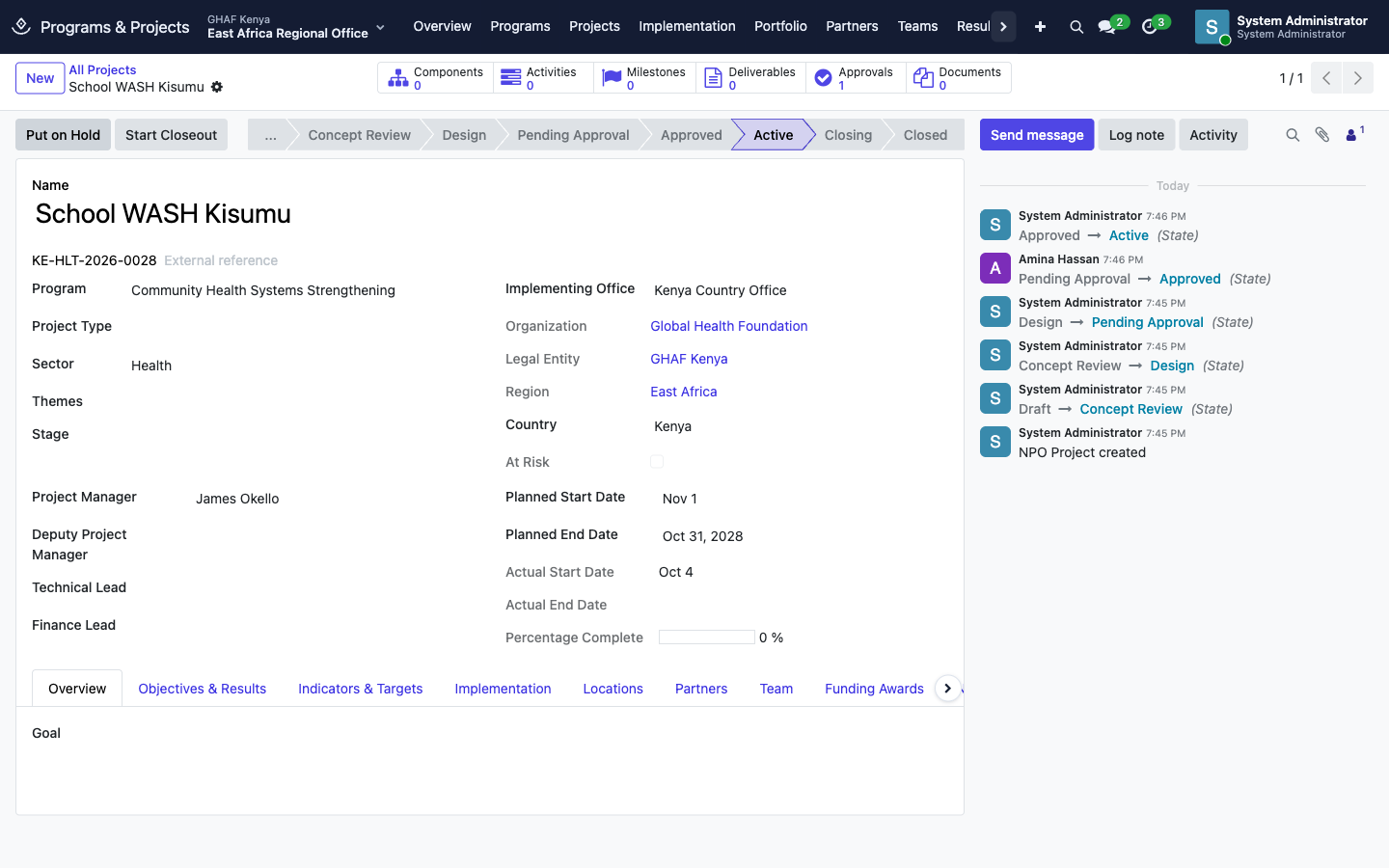
| Start Project | Manager | The project must be approved. Sets Actual Start Date. |
| Put on Hold / Resume | Manager | — |
| Start Closeout, then Close Project | Manager | Every deliverable must be Approved before the project can close. Sets Actual End Date. |
If the approver returns or rejects the request, the project goes back to Design so it can be changed and submitted again.
Each office needs a Project approval policy
Submit for Approval fails with No active approval policy matches this request unless an active policy covers Project requests for that office, in the project's currency. A project takes the currency of its office's legal entity, for example KES for Kenya. See Build an approval policy.
Create a project and get it approved
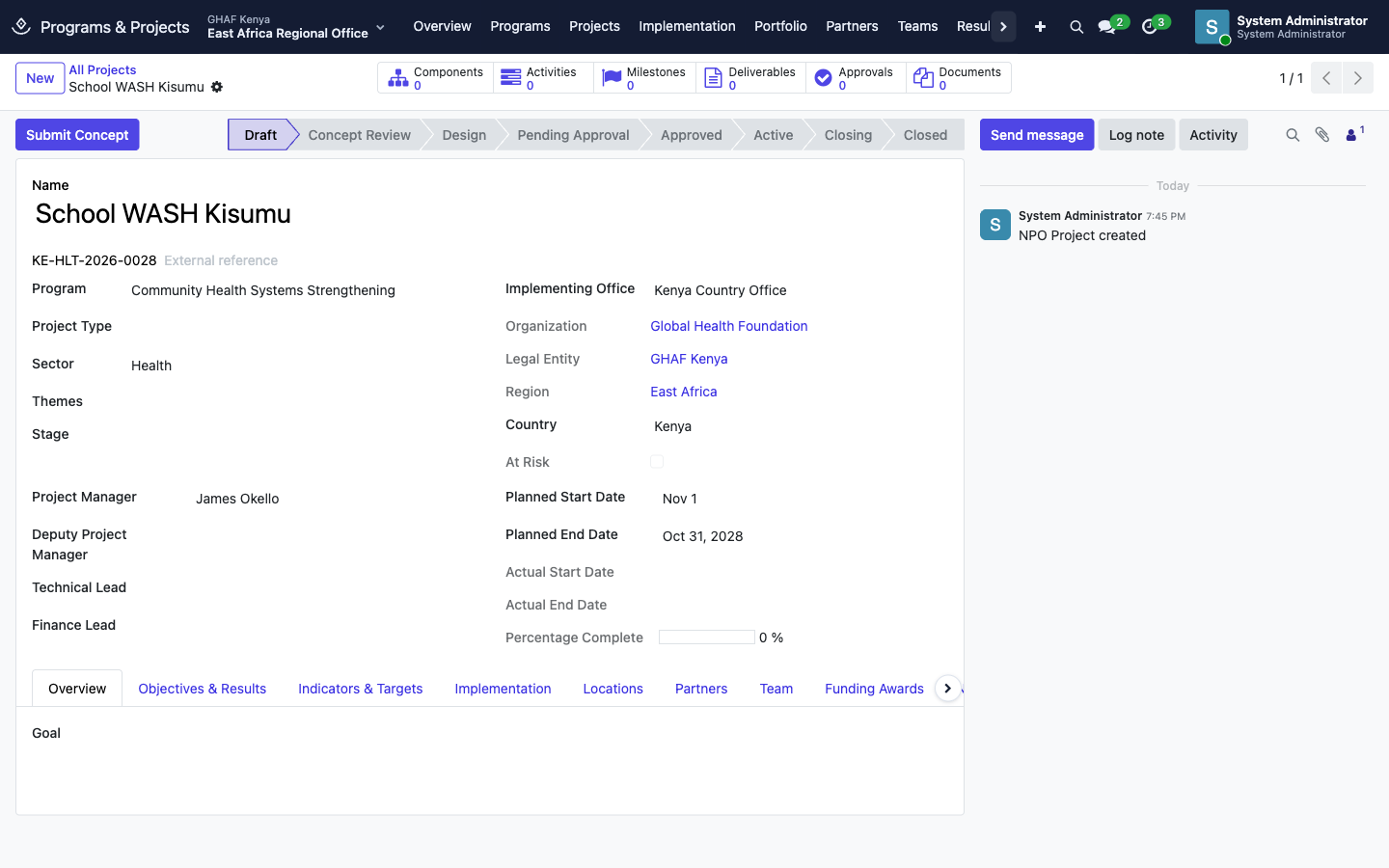
- Open Projects › All Projects and click New.
- Fill in the essentials:
- Name.
- Program: the strategy it serves.
- Sector: e.g. Health or Livelihoods.
- Implementing Office: the unit that runs it. Its legal entity, region and country fill in automatically.
- Project Manager.
- Planned Start Date and Planned End Date.
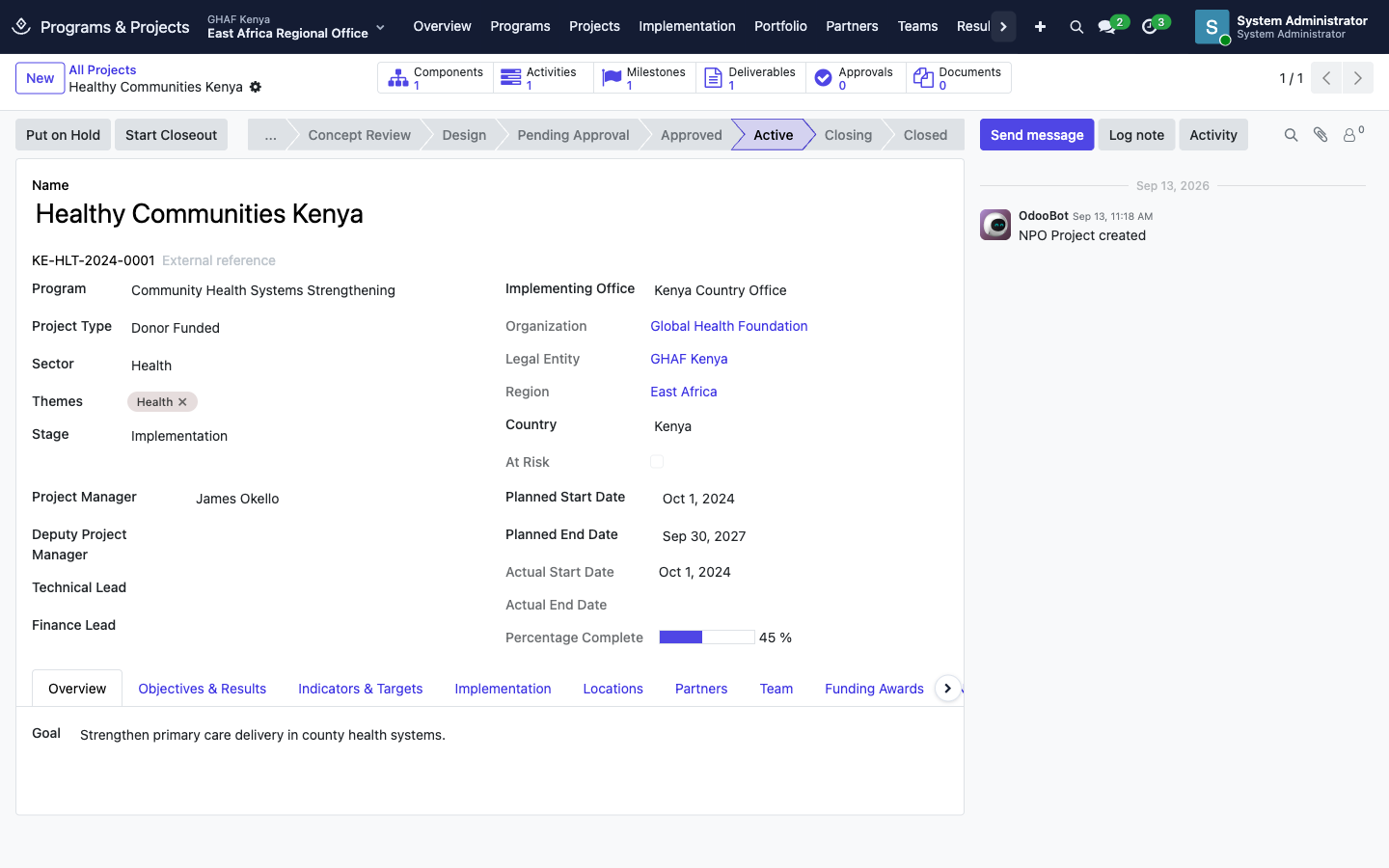
- Add what you know on the tabs: Overview (goal), Objectives & Results, Indicators & Targets, Implementation, Locations, Partners and Team.
- Save. Amana gives the project a code from its country, sector, start year and a running number, such as
KE-HLT-2026-0028. The code shows New until the first save. - Click Submit Concept. A manager clicks Start Design once the idea is agreed.
- When the design is complete, click Submit for Approval.
The approver finds the request in Approvals › My Inbox:
Once it's approved, the manager clicks Start Project:
Find your way around
| Menu | What's there |
|---|---|
| Overview | Active projects, projects at risk, projects closing, portfolio value, projects by sector and by lifecycle stage |
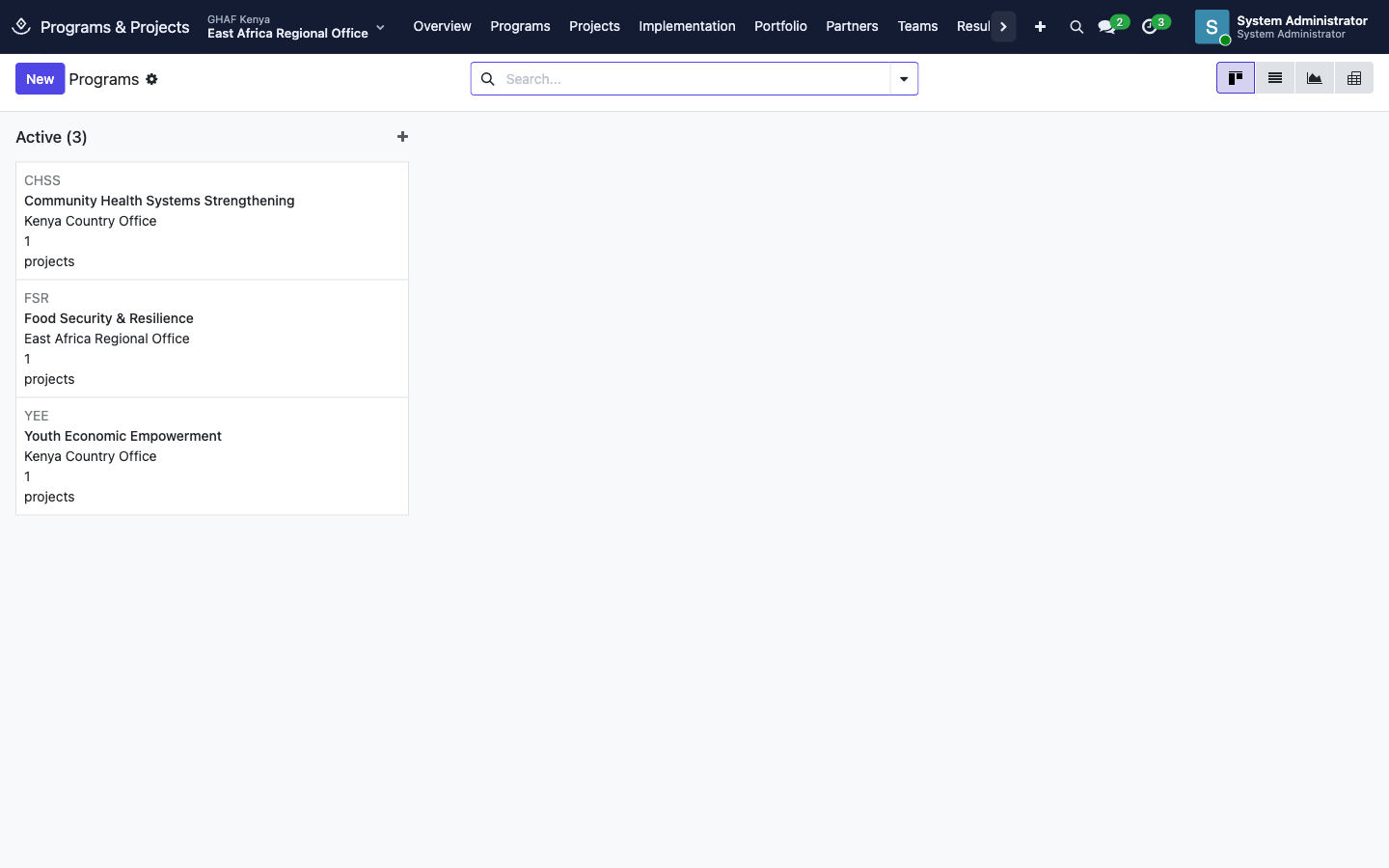
| Programs | The long-running strategies and the projects under each |
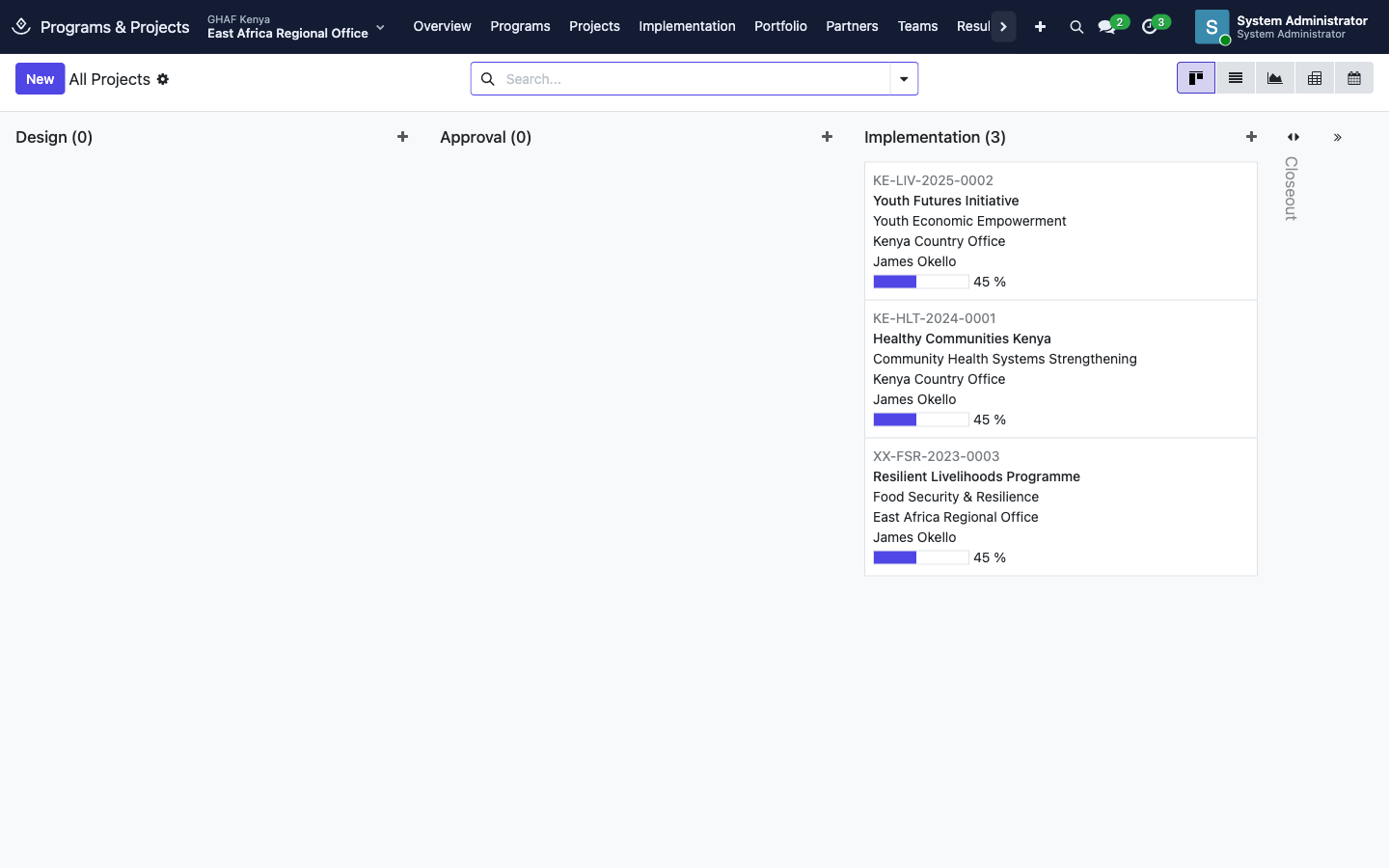
| Projects | All Projects, My Projects, Active Projects, Projects at Risk, Closing Projects, Archived Projects |
| Implementation | Components, Activities, Workplans, Milestones and Deliverables across all projects |
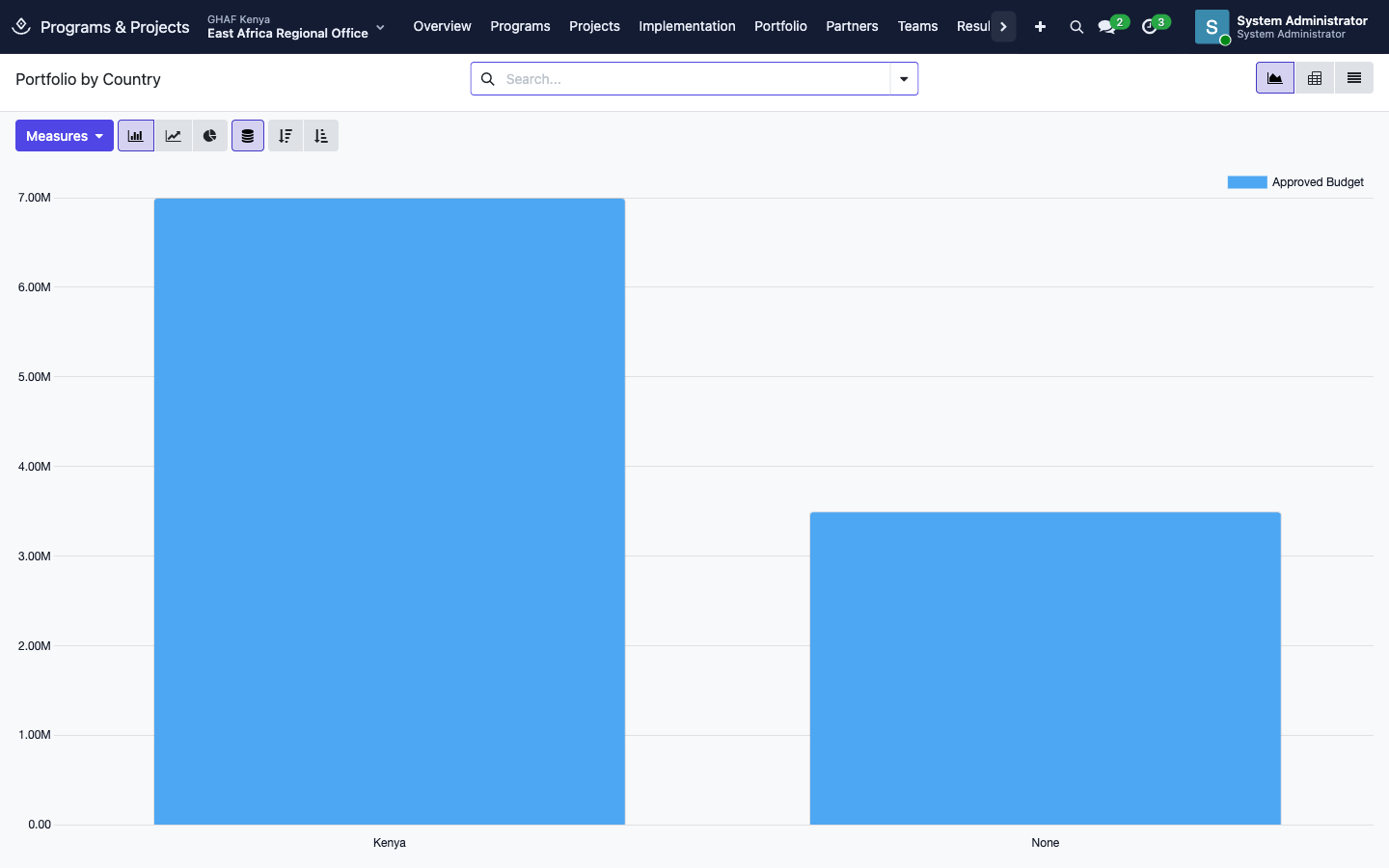
| Portfolio | Budgets By Country, By Program, By Sector and By Status, as charts or tables |
| Partners / Teams | Who works on each project |
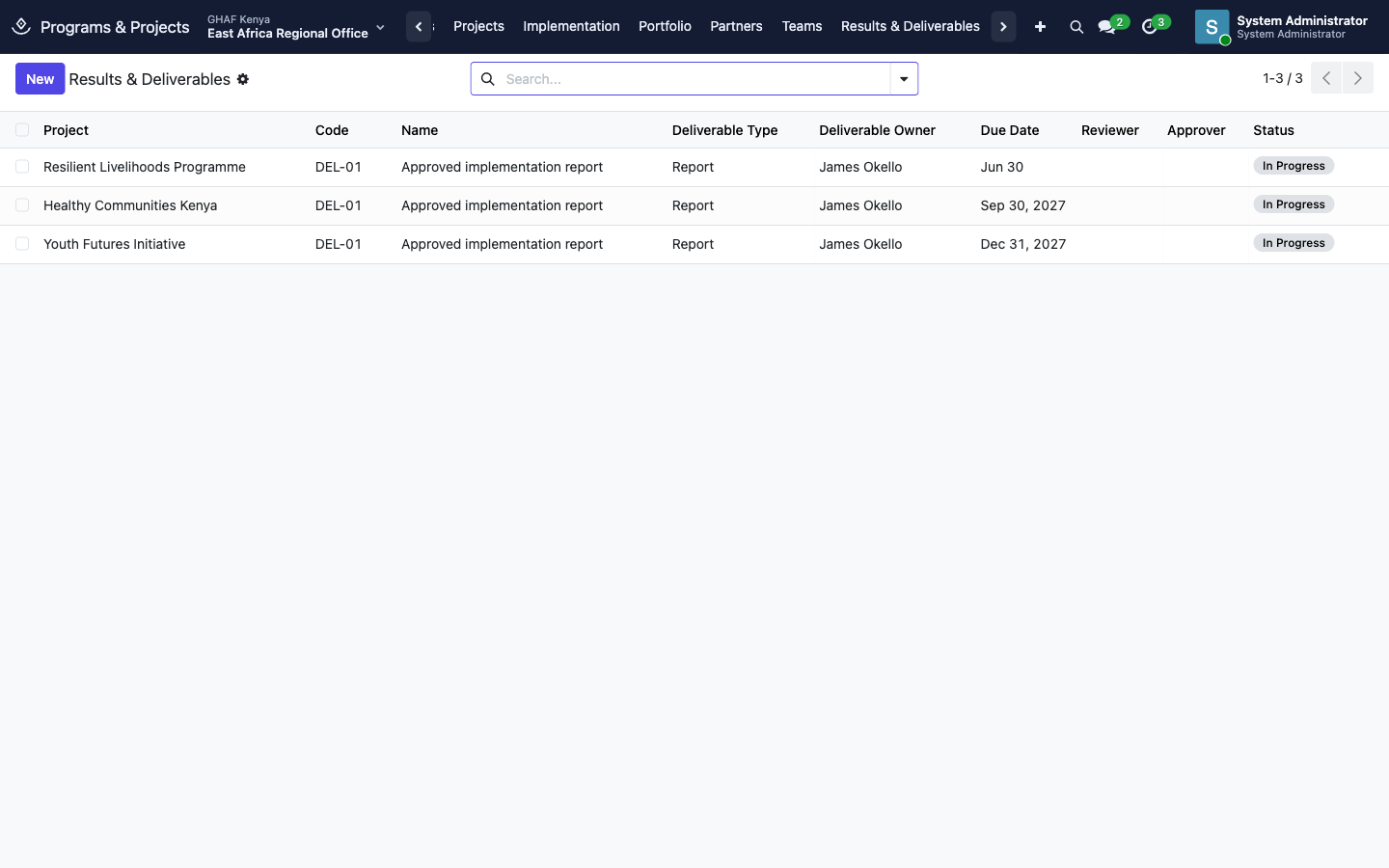
| Results & Deliverables | Deliverables across projects, with owner, due date and status |
| Reports | Programme reports |
| Configuration | Program types, project types, sectors, themes, activity types, project stages and partner roles (administrators) |
On a project, the buttons along the top (Components, Activities, Milestones, Deliverables, Approvals, Documents) open everything linked to it. The tabs hold the plan, and Funding Awards shows the grants paying for it.
Plan and track the work
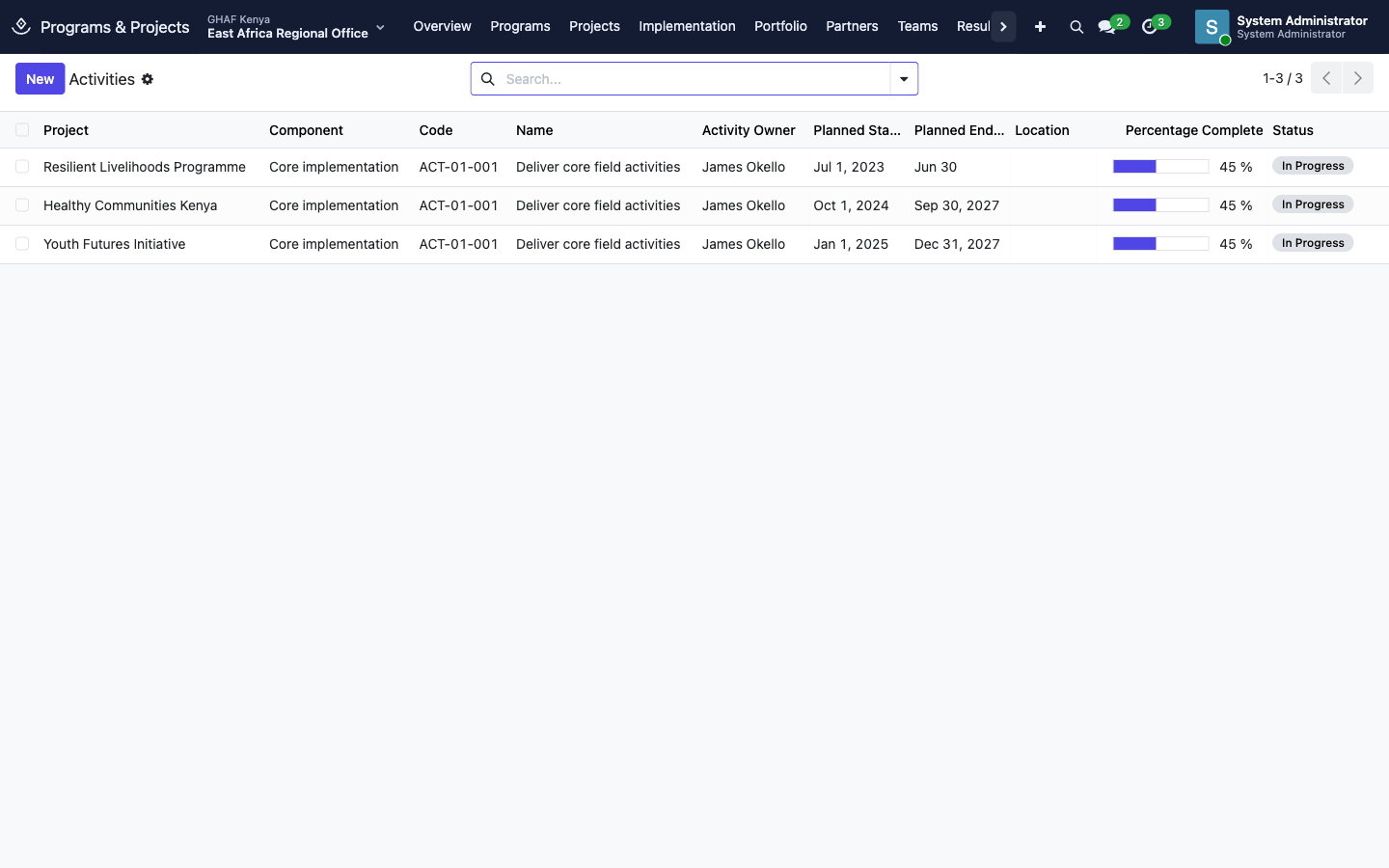
A project is broken down into components (main work streams), activities (the work itself, with dates, an owner, a location and a planned budget), milestones (key dates) and deliverables (what must be produced).
| Item | Statuses |
|---|---|
| Activity | Not Started · In Progress · Blocked · Completed · Cancelled. Its Percentage Complete rolls up into the project's progress bar. |
| Milestone | Pending · In Progress · Completed · Delayed · Cancelled. An overdue milestone puts the project in Projects at Risk. |
| Deliverable | Draft · In Progress · Submitted · Under Review · Revision Required · Approved · Rejected |
Deliverables
- The owner clicks Submit when the deliverable is ready. Attach the file on its Documents tab.
- The reviewer clicks Start Review, then Request Revision or passes it on.
- The assigned Approver clicks Approve. Only that person (or a system administrator) can approve.
Indicator results
On a project's Indicators & Targets tab, each indicator has targets and reported results.
- Whoever collects the data records a result and clicks Submit.
- Someone else checks it and clicks Verify, or Reject. Verification needs the means of verification attached as evidence, and the person who reported a result can't verify it.
Portfolio
Portfolio charts the approved budgets of all projects by country, program, sector or status. Switch to the table view, or change the measure, from the buttons above the chart.
Programs
Programs follow their own lifecycle, managed by programme managers:
Draft → Proposed → Under Review → Approved → Active, then Suspended, Completed, Closeout and Closed.
The buttons are Propose, Review, Approve (or Reject), Activate, Suspend, Complete, Start Closeout and Close. A suspended program can be activated again.
Troubleshooting
\"Set the implementing office and project manager before submission.\"
Fill in Implementing Office and Project Manager, then click Submit for Approval again.
\"No active approval policy matches this request.\"
There's no active Project policy for this office in the project's currency. An approvals administrator needs to add one. See Approvals.
I can't see Start Design, Start Project or Start Closeout.
Those steps need Programs & Projects › Manager access.
\"Approve every deliverable before closing the project.\"
Open Deliverables on the project and get each one approved, or cancel the ones that are no longer needed, then click Close Project.
\"Only the assigned approver can approve this deliverable.\"
The deliverable names a specific Approver. Ask them, or change the approver if they've left.
\"Attach the means of verification before verifying a result.\" or \"A result must be verified by someone other than the person who reported it.\"
Add the evidence to the result, and ask a colleague to verify it.
\"Only draft projects can be deleted.\"
Once a project has moved on, it's kept for the record. Take it through closeout instead. A closed project moves to Projects › Archived Projects.