Leave
Staff Admin
Leave is where staff ask for time off and see their balances, managers decide requests, and HR sets up each country's leave entitlements. Annual leave builds up month by month. Each request goes to the right approver for the office, and approved leave shows in timesheets and payroll, so unpaid leave is deducted and leave days are never charged to a grant.
Module: npo_leave (on Odoo Time Off). The launcher tile is Leave; the app's title bar reads Time Off.
In plain words
- Each country has its own leave types from its labour law: annual, sick (full and half pay), maternity, paternity, unpaid, and compassionate leave in Tanzania. Each one shows its legal basis.
- Annual leave needs an allocation: a balance that grows each month on the country's accrual plan (21 days a year in Kenya and Uganda, 20 working days in Tanzania). Other types don't need an allocation, but some have a maximum per request, such as 90 calendar days of maternity leave in Kenya.
- A request goes to the office's Leave approval policy in Approvals, like any other request. If the office has none, Odoo's own Time Off approval applies.
- Approved leave is written into the person's timesheet as leave hours, so their month adds up. Leave hours are never charged to a grant.
- Half-pay and unpaid leave reduce that month's pay automatically.
Before you start
- Each office has an active Leave approval policy in its currency. See the approval checklist. Amounts on a leave policy are read as days, so a policy can add a second approver above, say, 10 days.
- Every employee who takes annual leave has an allocation on their country's accrual plan, starting on their first day (Management › Allocations).
- The country's public holidays for the year are entered (Configuration › Public Holidays). Otherwise a holiday inside a leave request is counted as a leave day.
- The leave types match current law and your HR policy (Configuration › Time Off Types). Edit any type that differs.
- Odoo's generic types that aren't used (Paid Time Off, Sick Time Off, Unpaid, Compensatory Days, Extra Time Off, Extra Hours) are archived, so staff only see their country's types.
Who uses it
| Role | What they do | Access level |
|---|---|---|
| Staff member | Requests leave, sees balances and the team calendar. | Any user |
| Approver | Decides leave in their Approvals inbox (for example the Country Director). | Named in the office's Leave policy |
| Time off officer | Records leave and allocations for staff, sees reports. | Time Off › Officer: Manage all requests |
| Time off administrator | Configures types, accrual plans and public holidays. | Time Off › Administrator |
| Menu | What's there |
|---|---|
| My Time | Dashboard (balances and calendar), My Time Off, My Allocations |
| Overview | Who is off when, by team |
| Management | Time Off and Allocations for everyone (officers) |
| Reporting | Leave by Employee, by Type, and Balance |
| Configuration | Time Off Types, Accrual Plans, Public Holidays, Mandatory Days |
1. Give staff their annual leave
When someone starts, HR gives them an annual leave allocation on their country's accrual plan. The balance then grows by itself at the end of each month.
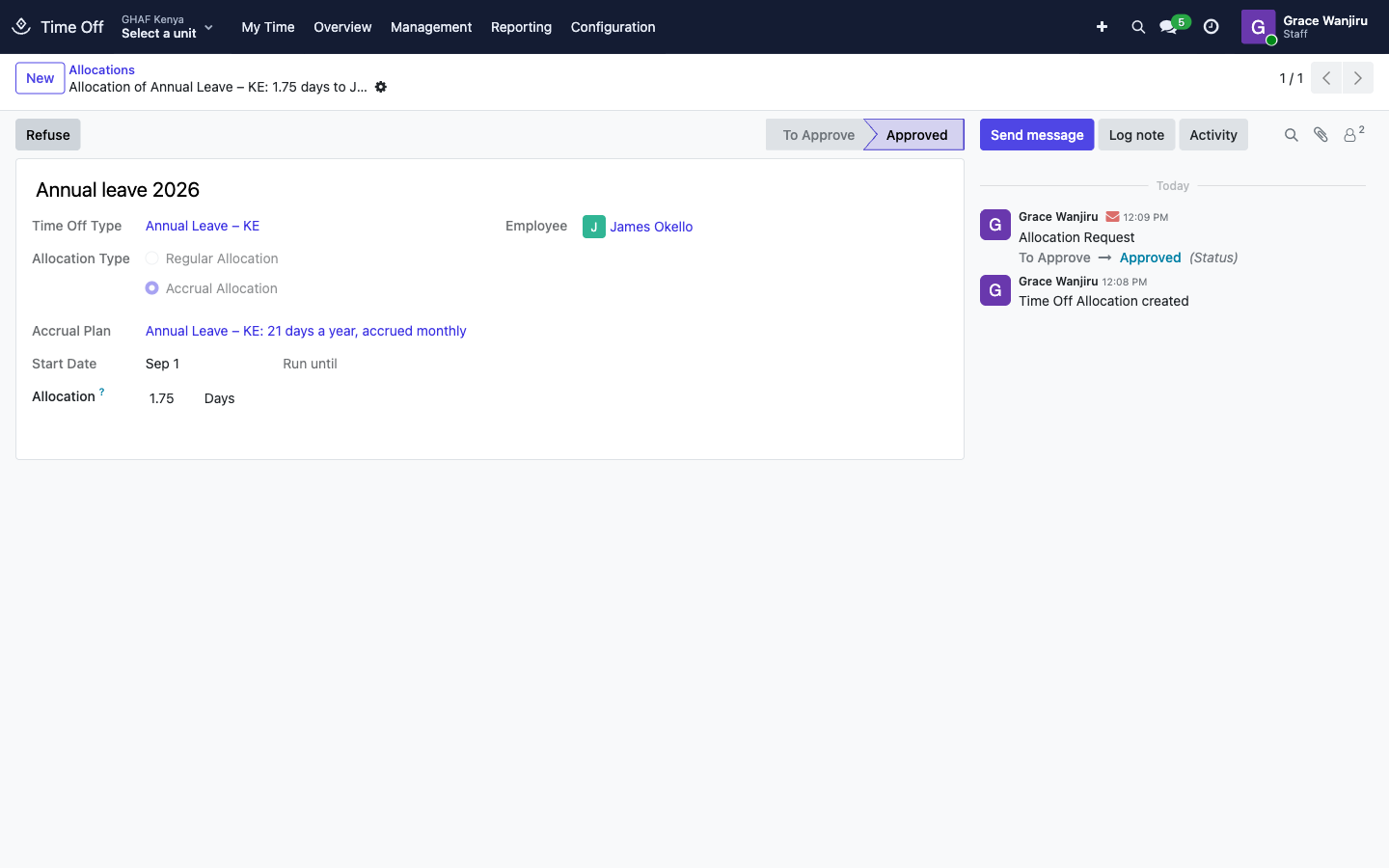
- Go to Management › Allocations and click New.
- Name it (for example Annual leave 2026) and choose the Time Off Type, such as Annual Leave – KE.
- Choose Accrual Allocation, then the Accrual Plan for the country, such as Annual Leave – KE: 21 days a year, accrued monthly.
- Set the Start Date to the person's first day, and choose the Employee.
- Save, then click Validate.
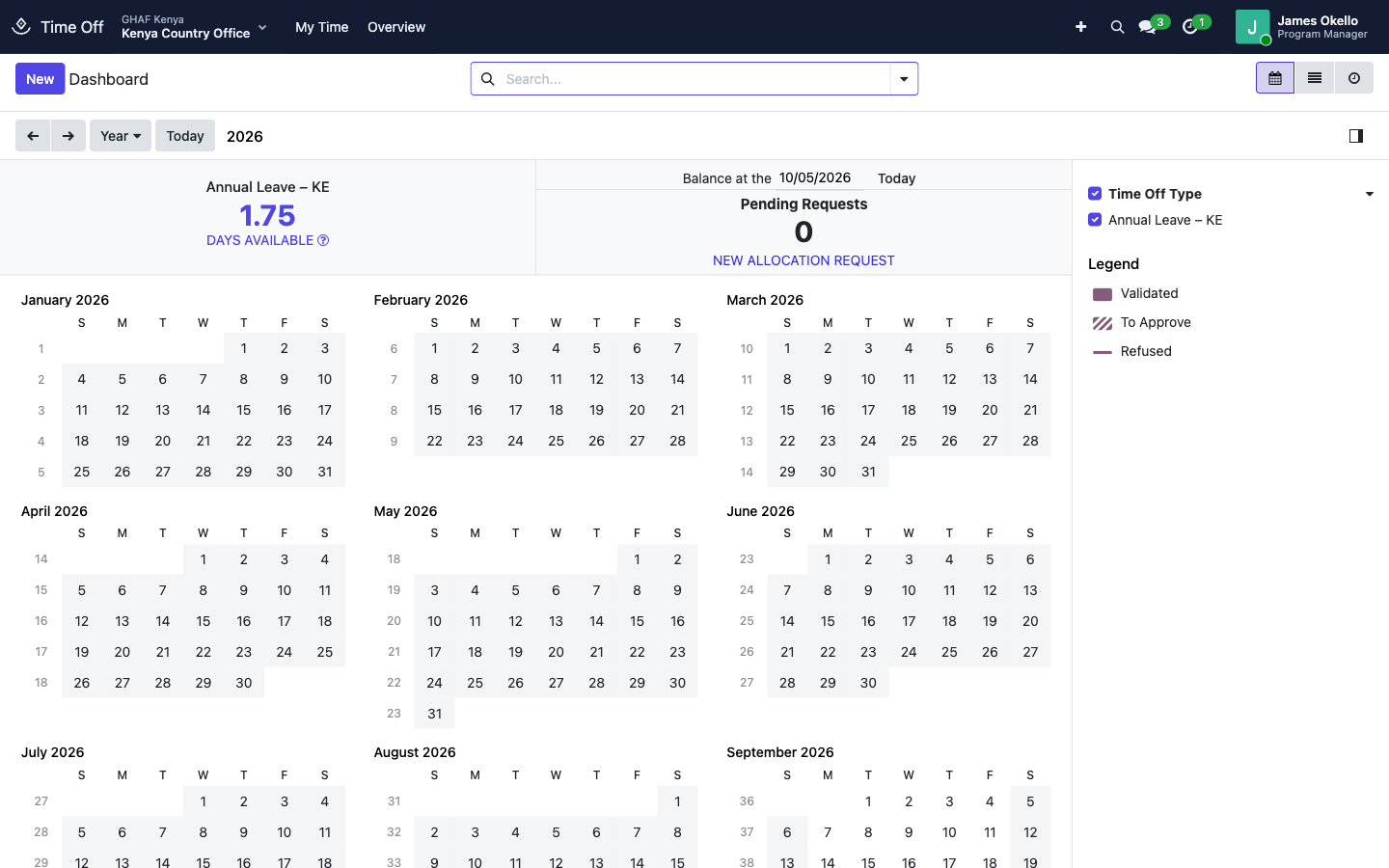
Allocation shows what has accrued so far. James started on 1 September, so by early October he has 1.75 days.
For a one-off grant of days, choose Regular Allocation and enter the number of days instead.
2. Ask for leave
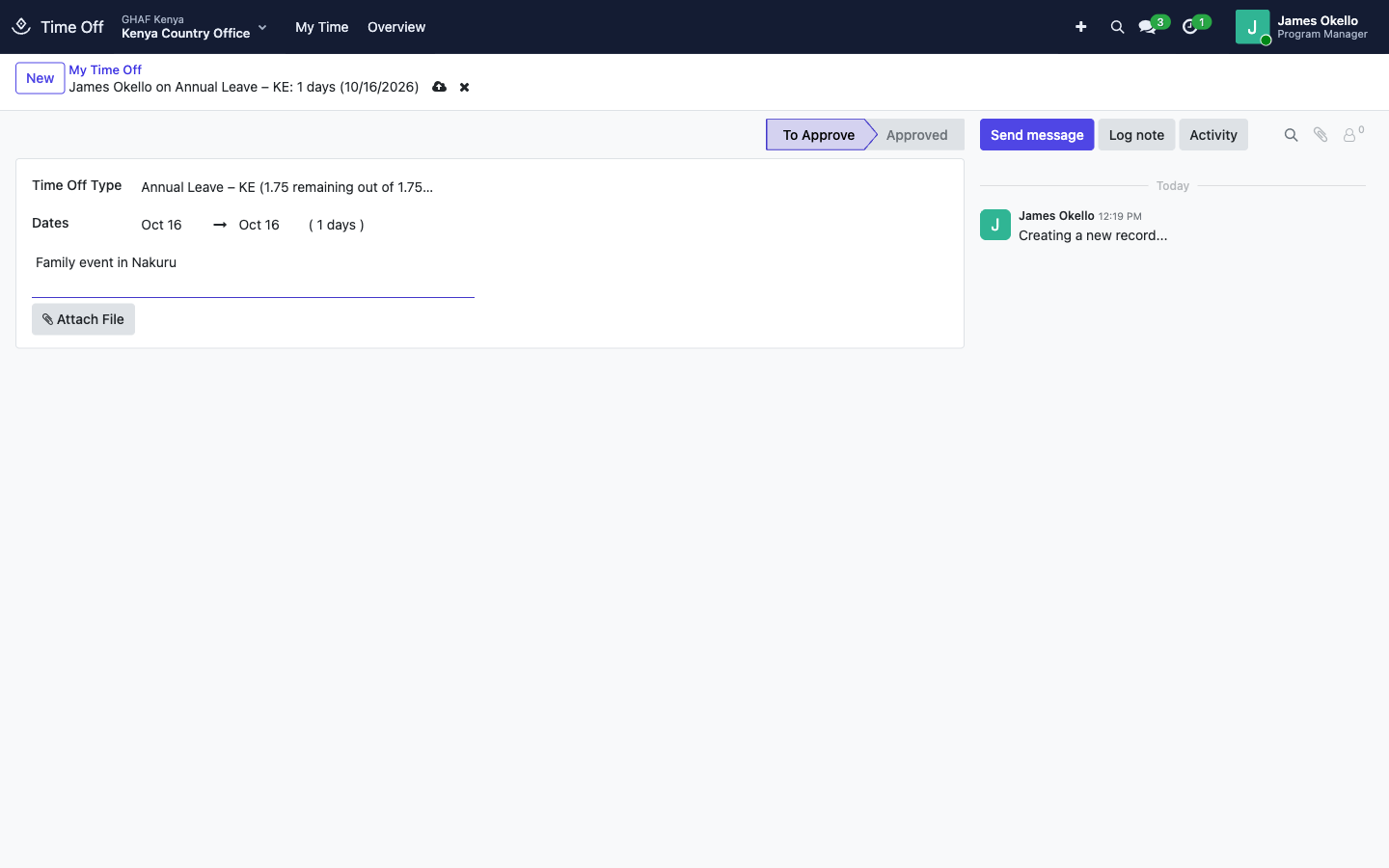
- Open My Time › My Time Off and click New, or click a day on the Dashboard.
- Choose the Time Off Type. Types that need an allocation show what's left, for example Annual Leave – KE (1.75 remaining out of 1.75 days).
- Choose the dates. The number of days is worked out from your working schedule and public holidays.
- Add a reason, and attach a document if the type needs one (a medical certificate for sick leave).
- Save. The request is To Approve and goes to your approver.
3. Decide a request
Leave goes through the office's Leave policy in Approvals. In Kenya, that's the Country Director.
- Approve: the leave is approved and the days come off the balance.
- Reject: the leave is refused.
- Return: the request goes back to the employee for changes. They edit the leave, then open the request in Approvals › Submitted by Me and click Submit to send it again.
A request under approval can only be decided from Approvals, not from the Time Off screens. If the office has no Leave policy, the request notes No NPO approval policy for leave covers this office, so the Time Off approval applies, and a time off officer approves it in Management › Time Off.
4. Leave in timesheets and payroll
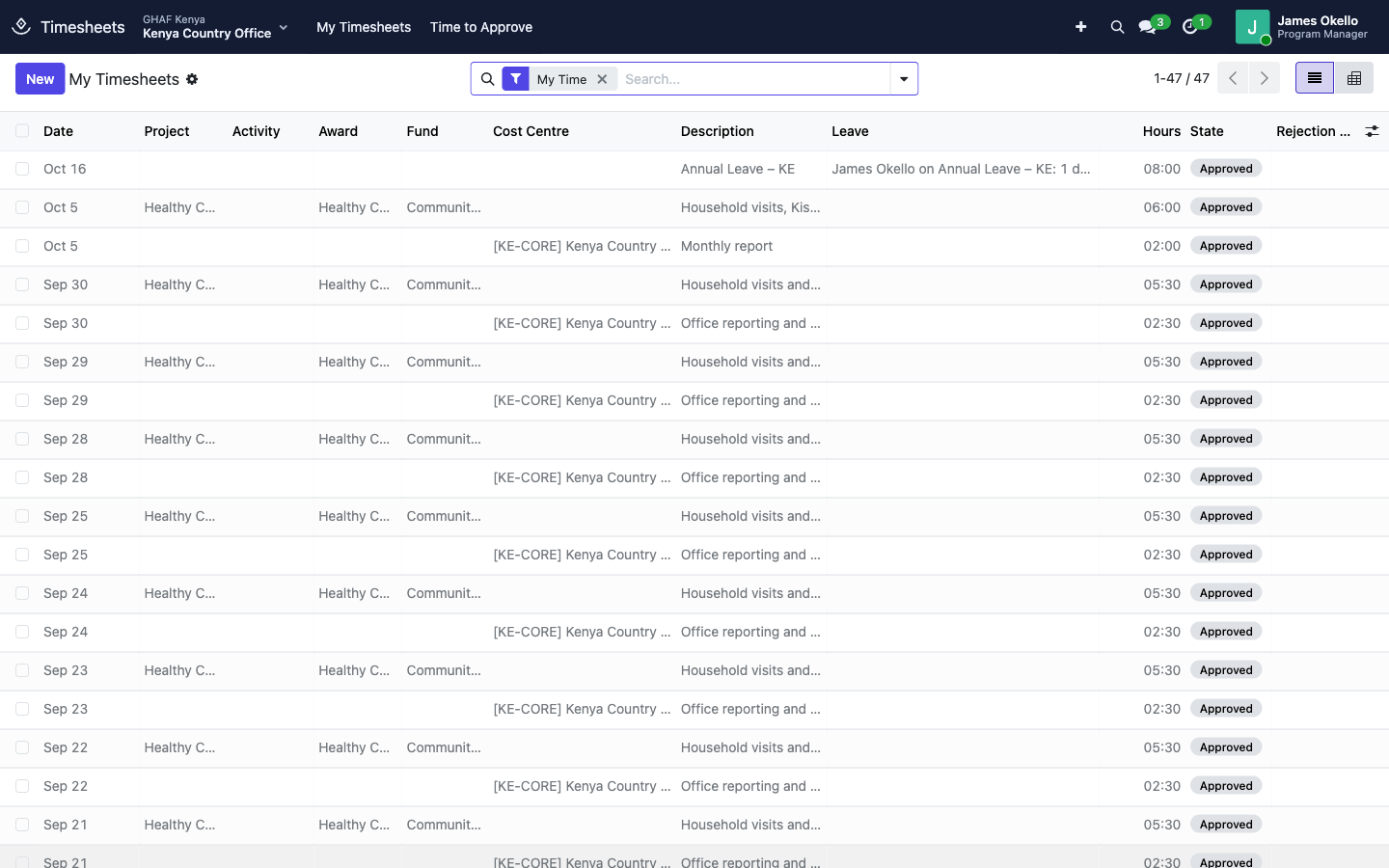
- Approved leave is written into the employee's timesheet as approved leave hours, one line per day, at their standard hours. The Leave column links to the request. These hours aren't charged to any grant. To change them, change the leave.
- If leave is cancelled or refused, its timesheet lines are removed, except any a posted payroll has already used. The leave request then notes which lines were kept.
- Leave whose type pays less than 100% (Pay During Leave (%): 50 for half-pay sick leave, 0 for unpaid) reduces the month's Share of Period Worked on the payslip, which shows the Unpaid Leave Days.
Configuration
Leave types
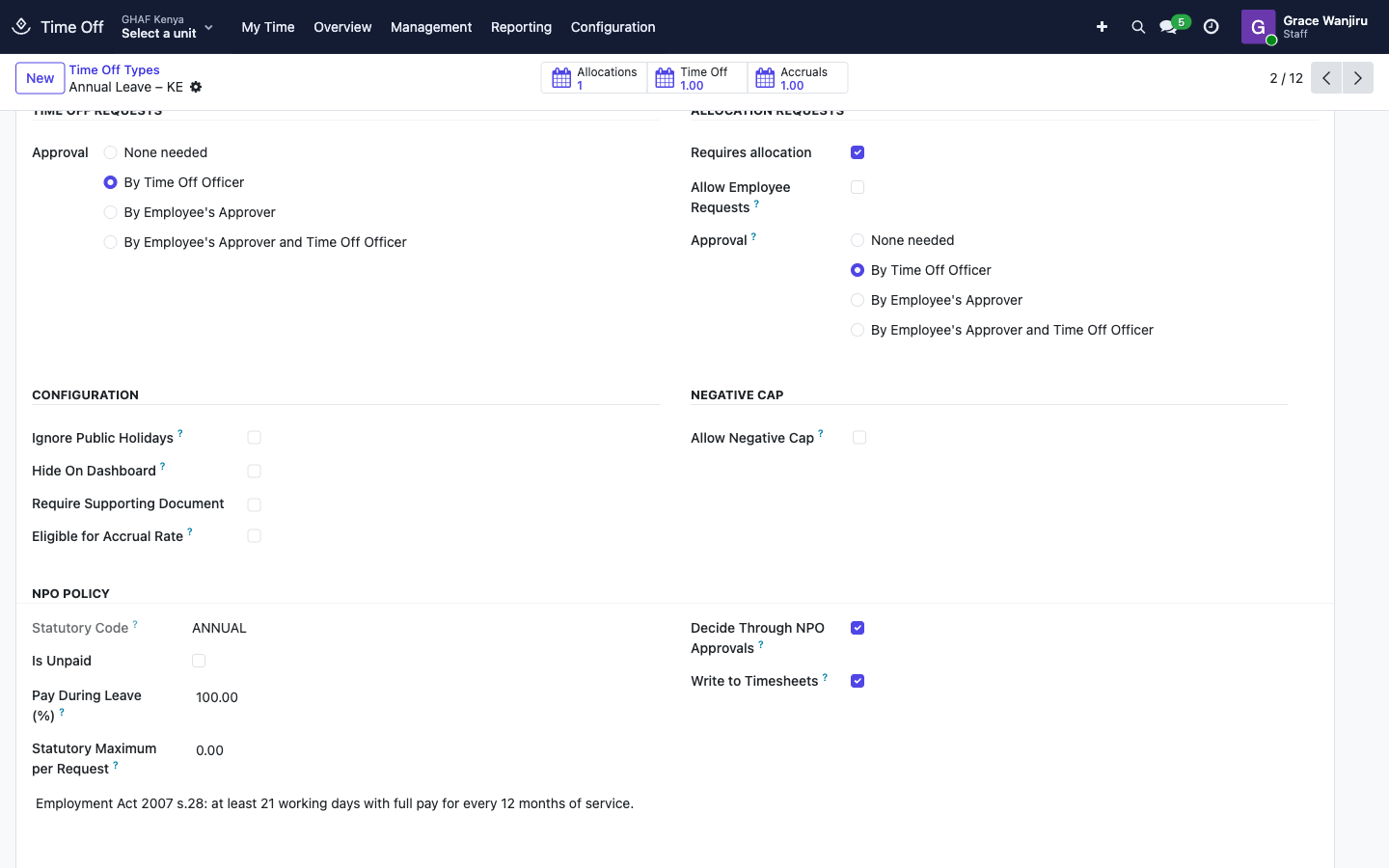
Each country's types are created when Amana is installed. Open one under Configuration › Time Off Types. The NPO Policy section holds Amana's settings:
| Setting | What it does |
|---|---|
| Statutory Code | Which statutory type this is (ANNUAL, SICK, SICK_HALF, MATERNITY, PATERNITY, COMPASSIONATE, UNPAID). |
| Is Unpaid / Pay During Leave (%) | Share of the wage paid during this leave. Payroll deducts the rest. |
| Statutory Maximum per Request and Counted In | The longest request allowed, in working or calendar days. 0 means no limit. |
| Decide Through NPO Approvals | Send requests to the office's Leave policy. Off: Odoo's own approval. |
| Write to Timesheets | Record approved leave as timesheet hours. |
| Legal basis | The section of the labour law the type follows. |
The statutory types as installed:
| Type | Kenya | Uganda | Tanzania |
|---|---|---|---|
| Annual Leave | 21 working days a year, accrued monthly | 21 a year, accrued monthly | 20 working days a year, accrued monthly |
| Sick Leave (full pay) | Yes, with certificate | Yes, with certificate | Yes, with certificate |
| Sick Leave (half pay) | Yes, with certificate | — | Yes, with certificate |
| Maternity Leave | Up to 90 calendar days | Up to 60 working days | Up to 100 calendar days |
| Paternity Leave | Up to 14 calendar days | Up to 4 working days | Up to 3 working days |
| Compassionate Leave | — | — | Up to 4 working days |
| Unpaid Leave | Yes | Yes | Yes |
Check them against your policy
These follow each country's labour law as written on each type (Kenya Employment Act 2007, Uganda Employment Act 2006, Tanzania Employment and Labour Relations Act 2004). If your HR policy is more generous, or the law has changed, edit the type. Amana won't overwrite your changes.
Accrual plans and public holidays
- Configuration › Accrual Plans holds one plan per country (Annual Leave – KE: 21 days a year, accrued monthly, and so on). Days are added at the end of each month.
- Configuration › Public Holidays: add each country's public holidays for the year, for the right legal entity, so they aren't counted as leave days.
Troubleshooting
I can't see Annual Leave when I request leave
You have no annual leave allocation yet, or it's used up. Ask HR to check your allocation (My Time › My Allocations).
\"… allows at most 90 calendar days per request; this one is ….\"
The request is longer than the type's statutory maximum. Split it, or use another type for the extra days (for example annual or unpaid leave), as your HR policy allows.
\"… is being decided through the NPO approval workflow. Approve, return or reject it from the approval request.\"
Decide it in Approvals (My Inbox), not from the Time Off screens.
\"Leave hours follow the approved leave request. Change the leave instead.\"
Leave hours on a timesheet can't be edited. Change or cancel the leave request.
A public holiday was counted as a leave day
The holiday isn't in Configuration › Public Holidays for your legal entity. HR adds it, and corrects any request already made over that day.