Recruitment
Staff Admin
Recruitment takes a new post from "we need someone" to a signed contract. The post is approved against the grant that will pay for it. Each panellist scores candidates on their own. Safer-recruitment checks must be cleared before anyone is hired. The approved offer then becomes the employee's contract in one step, with the salary already charged to the right grant.
Module: npo_recruitment (on Odoo Recruitment)
In plain words
- A post starts with a staff requisition: the role, the budgeted wage, the dates, and which grant budget line pays for it. The projected cost is held on that budget line while the requisition is awaiting approval or open, so two managers can't spend the same money. Once the post is filled, the new contract holds it instead.
- Once the requisition is approved, the job position opens for applications, and the interview panel named on the requisition can see its candidates.
- Each panellist scores each candidate on the requisition's competencies, after declaring any conflict of interest. Panellists only see their own scores, and a submitted score can't be changed. Recruitment sees the average and the ranking.
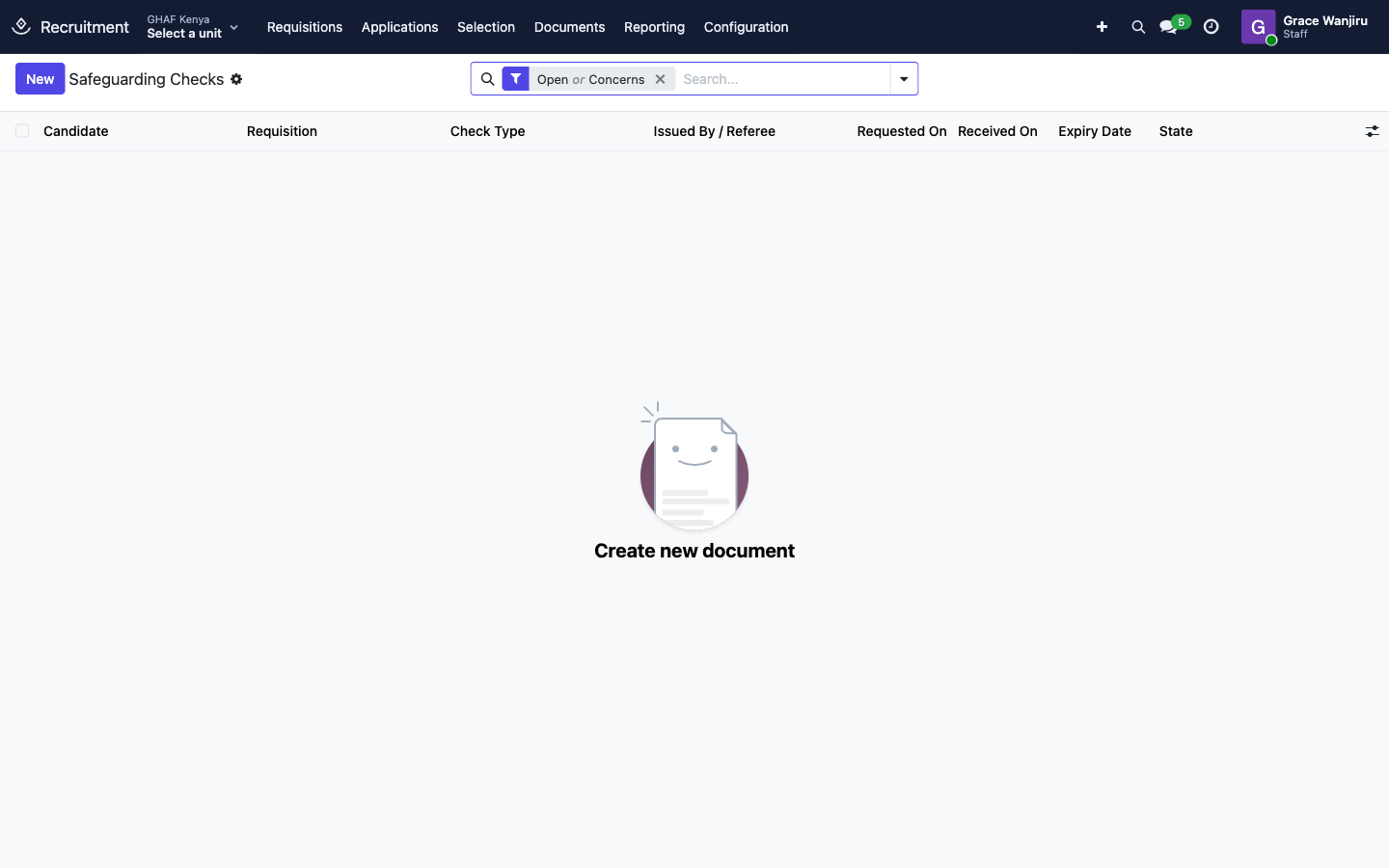
- Safer-recruitment checks (identity, references, misconduct disclosure, police clearance and so on) must each be cleared with evidence. A concern goes to the safeguarding focal point.
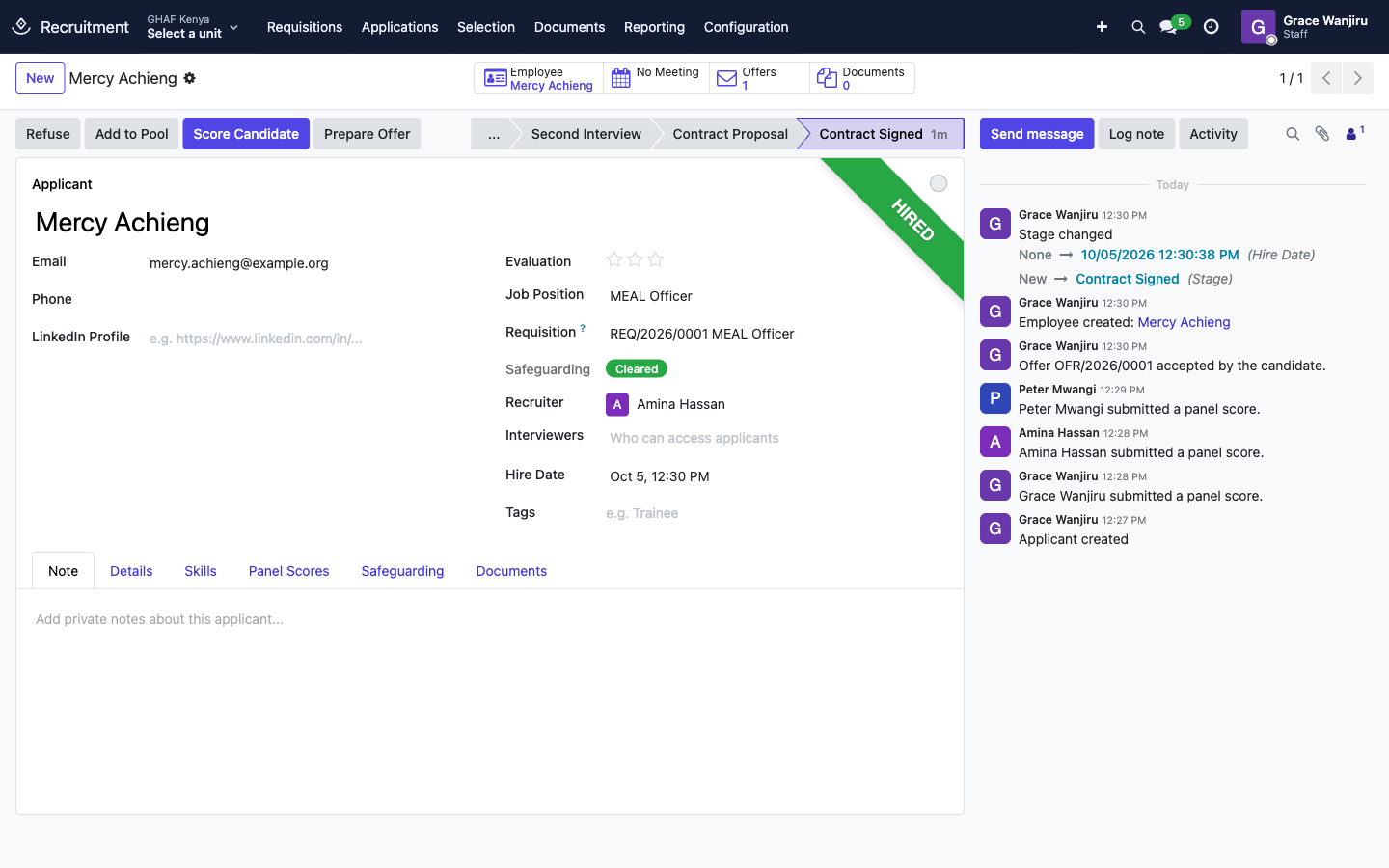
- The chosen candidate gets an offer, which is approved, sent and accepted. Issue Contract then creates the employee and their approved, grant-funded contract, and starts onboarding.
Before you start
- Each office has active Staff Requisition and Job Offer approval policies in its currency. See the approval checklist. Without them, an HR Manager approves requisitions on the form, and offers need three sign-offs (HR, the budget holder and finance).
- Someone holds the Safeguarding › Safeguarding Focal Point role. Only they can decide a concern or waive a check.
- Pay grades exist (see Employees).
- Hiring managers and panellists have their organisation and office on their user, so they can pick the grant that pays for the post.
- Check the Panel Scorecards and Safeguarding Check Types (Configuration) match your policy.
Who uses it
| Role | What they do | Access level |
|---|---|---|
| Hiring manager (any staff member) | Raises staff requisitions from Employees › Requisitions. | Any user |
| Panellist | Scores candidates for posts where they're on the panel. | Recruitment › Interviewer (given automatically when the requisition is approved) |
| Recruiter / HR officer | Manages applications, safeguarding checks and offers, issues contracts. | Recruitment › Officer: Manage all applicants, and Employees › Officer |
| HR manager | Approves requisitions when no policy applies, configures recruitment. | Recruitment › Administrator, Employees › Administrator |
| Safeguarding focal point | Decides safeguarding concerns and waives checks. | Safeguarding › Safeguarding Focal Point |
| Offer signers | When there's no Job Offer policy: HR, the budget holder and finance each sign the offer from Employees › Offers to Sign. | HR Manager / budget holder / finance manager |
| Menu | What's there |
|---|---|
| Requisitions | Every staff requisition |
| Applications | Candidates by job position, by talent pool, or all |
| Selection | Panel Scores, Safeguarding Checks, Offers |
| Documents | Recruitment documents (CVs, certificates, evidence) |
| Configuration | Job positions, stages, Panel Scorecards, Safeguarding Check Types, and the usual Odoo recruitment settings |
1. Ask for a new post
- In Employees, open Requisitions and click New.
- Enter the Position Title and the Reason: New grant or project, New position, Replacement (choose who it Replaces), or Scale-up of an existing grant.
- Under Budgeted Terms: Headcount, Time (%), Contract Kind, Budgeted Monthly Wage, Planned Start and Planned End. HR adds the Pay Grade; pay grades are visible to HR only.
- Tick Key Personnel if the donor must approve who's appointed.
- On Grant Budget, add the funding lines: share, award, fund and Donor Budget Line, or a cost centre. Cost per Position (award currency) shows what each line will carry in the grant's currency.
- On Panel and Scoring, add the Interview Panel and the Scores Needed. The standard competency Scorecard is attached with its criteria; adjust the criteria if this post needs different ones.
- On Safeguarding, choose the level: Standard, or Enhanced for work with children or vulnerable adults. The Required Checks follow.
- Explain the need on Justification, then click Submit for Approval. Amana checks the budget line can carry the cost first.
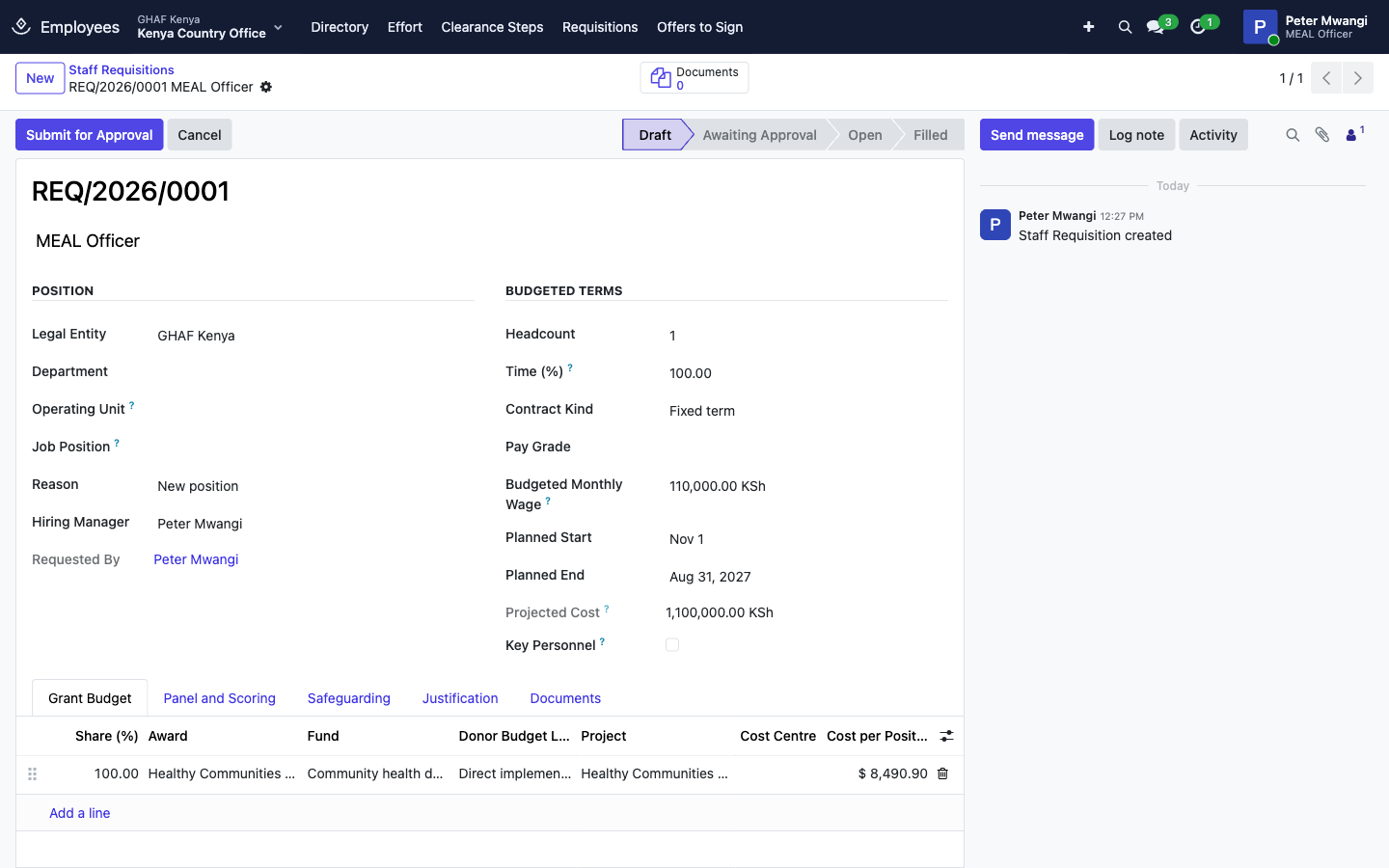
A requisition goes Draft → Awaiting Approval → Open → Filled. Once it's open, the job position takes applications (from your careers page, by e-mail, or entered by HR), and each one is linked to the requisition.
2. Score the candidates
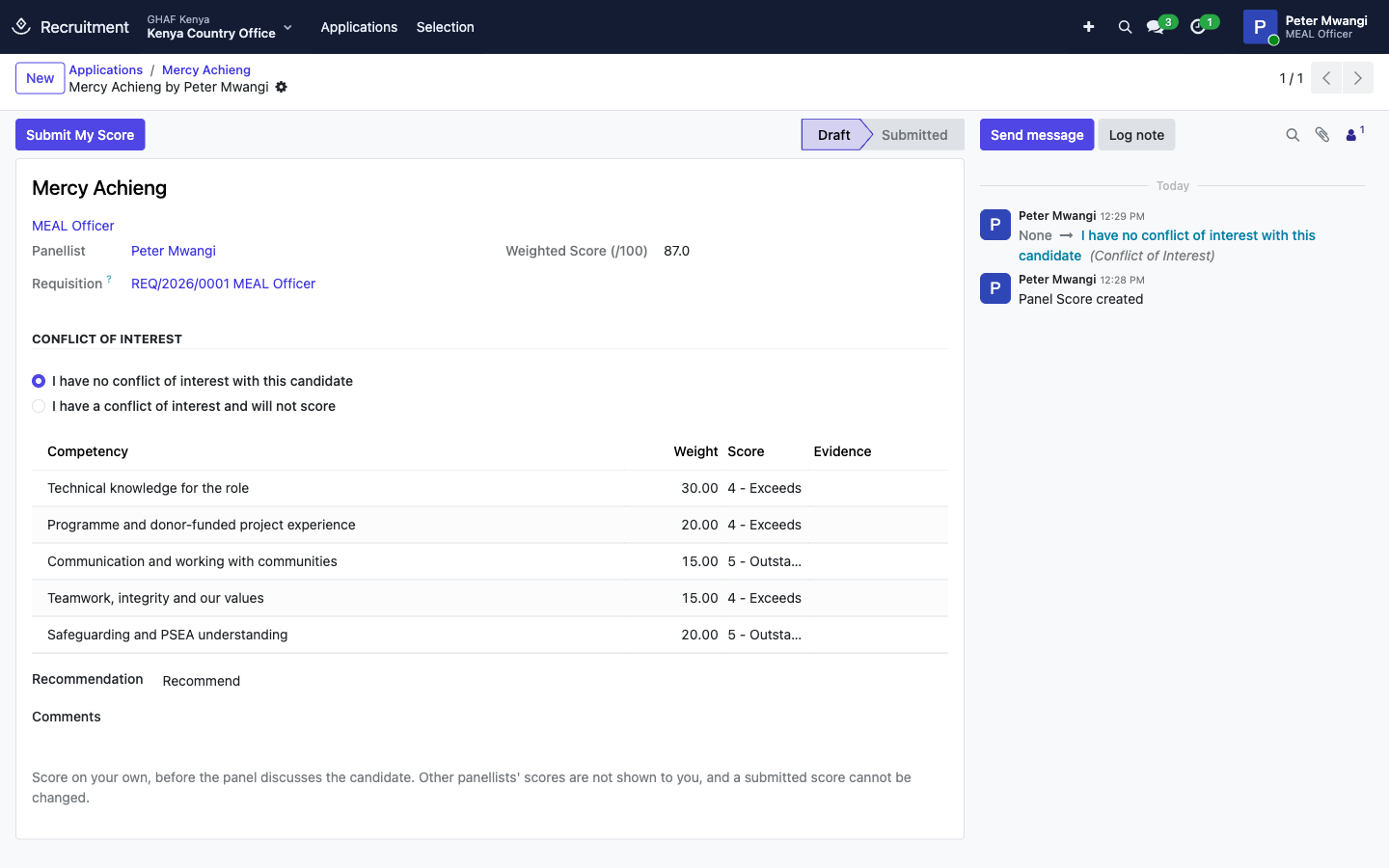
- Open the candidate (Applications) and click Score Candidate. Your own score sheet opens.
- Declare your Conflict of Interest. If you have one, describe it: you won't score this candidate, and your sheet isn't counted.
- Give each competency a score from 1 - Does not meet to 5 - Outstanding, with the Evidence from the interview. The Weighted Score (/100) follows the competencies' weights.
- Choose your Recommendation (Recommend, Reserve list, Do not recommend), add comments, and click Submit My Score. It's final.
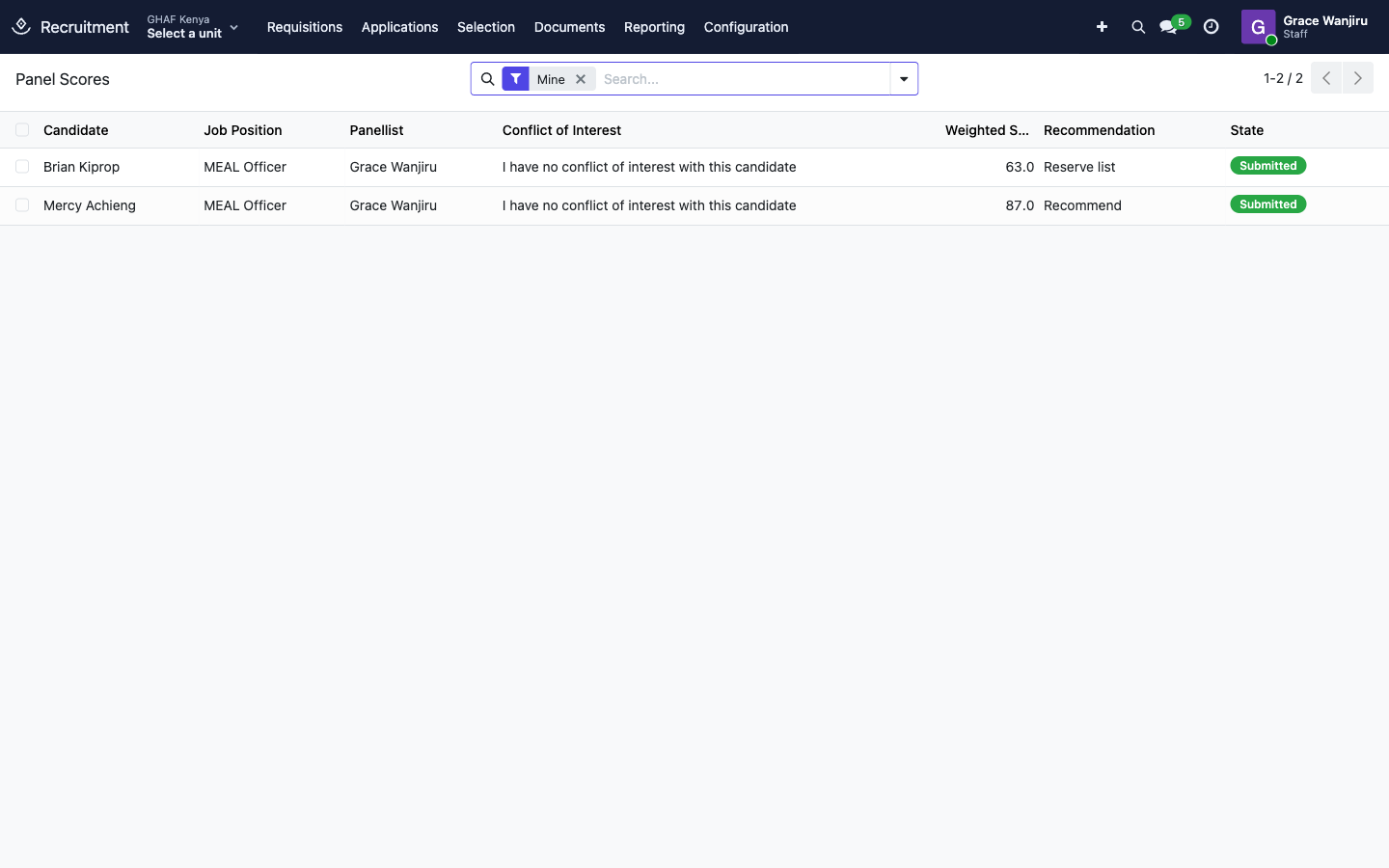
Recruiters see each candidate's Panel Score (the average of submitted, conflict-free scores), Scores Submitted and Rank on the application, and every sheet under Selection › Panel Scores. Panellists only see their own.
3. Clear the safer-recruitment checks
- On the chosen candidate, click Start Safeguarding Checks. One check opens for each required type.
- For each check, under Selection › Safeguarding Checks:
- Mark Requested when you ask for it, and note who it's from (Issued By / Referee) and the Certificate / Reference No.;
- attach the Evidence, then click Clear. A check with a validity period (police clearance is 12 months) gets an expiry date.
- If something worrying comes back, write the Findings and click Raise Concern. The safeguarding focal point reviews it and either clicks Clear After Review with a Safeguarding Decision, or the candidate isn't hired.
- Only the focal point can Waive a check, with the reason recorded.
The application shows the overall Safeguarding status: Not started, In progress, Cleared or Concern raised.
| Standard checks (every post) | Added for enhanced posts |
|---|---|
| Identity and right to work · Qualifications verified · Two references, including the last employer · Misconduct disclosure from previous employers · Police clearance (national certificate of good conduct) · Code of Conduct signed · Safeguarding and PSEA policy signed | International criminal record check · Enhanced check for work with children or vulnerable adults |
4. Make the offer and issue the contract
- On the candidate, click Prepare Offer. Wage, dates, grade, contract kind and funding come from the requisition. The Budget Holder is the grant manager of the main grant. Add the End of Probation and adjust anything agreed.
- Click Submit for Approval:
- with a Job Offer policy, the approver decides it in Approvals;
- without one, it needs three sign-offs in order (HR, the budget holder, finance), each by a different person and never the one who submitted it. Signers click Sign Off from Employees › Offers to Sign.
- Print Offer Letter, send it, and click Mark Sent. A key personnel offer needs the donor's approval recorded first.
- When the candidate answers, click Candidate Accepted or Candidate Declined (with the reason).
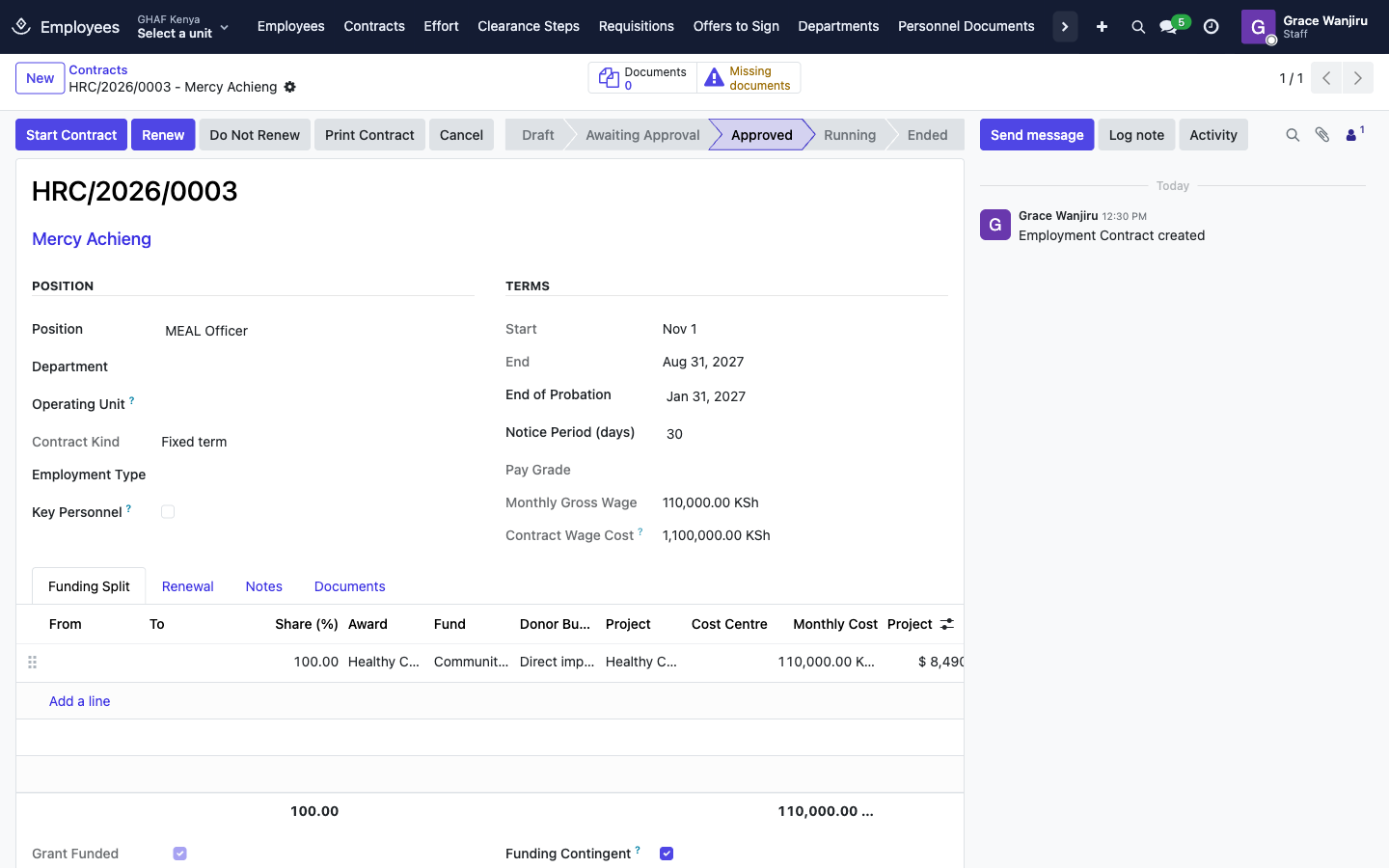
- Click Issue Contract. Amana checks every safeguarding check is cleared and still valid, then:
- creates the employee;
- creates their contract, already approved by the offer's approver, which starts on its start date;
- moves the application to the hired stage and starts the onboarding plan;
- marks the requisition Filled once every post on it is filled.
Hire through the offer
For a post with a requisition, moving the candidate to a hired stage or creating the employee by hand is blocked. That way nobody is hired without the approved offer, the grant budget check and the safeguarding checks.
Troubleshooting
\"… budget line … has USD … left for staff; this requisition needs USD ….\"
The grant budget line can't carry the post's projected cost on top of what other posts and contracts already hold. Lower the share or wage, split the funding, or shorten the dates.
\"… ends on …, before the planned end.\" / \"… is not active and cannot fund a position.\"
The grant can't pay for the whole post. Shorten the planned dates, or add another funding source for the rest.
\"Safer recruitment checks are not complete:\" when issuing the contract
Each listed check is not started, not cleared, waiting for the focal point, or expired. Clear or renew it, then issue the contract again.
\"Attach the evidence for … before clearing it.\"
Attach the certificate, reference or signed form to the check's Evidence, then click Clear.
\"… is not linked to a staff requisition, so there is no panel to score it.\"
The application is for a job position with no requisition. Link it to the right requisition, or score it outside the panel process.
\"Only members of the interview panel score candidates.\"
Ask HR to add you to the requisition's Interview Panel.
\"Declare whether you have a conflict of interest with this candidate.\" / \"Score every competency: ….\"
Complete the conflict declaration and every competency score before submitting.
\"Each sign-off is given by a different person.\" / \"The person who submitted the offer cannot sign it off.\"
Offer sign-offs need three different people, none of them the submitter.
\"… is hired through the approved offer: accept it and use Issue Contract….\"
Don't move the candidate to the hired stage by hand. Use the offer's Candidate Accepted and Issue Contract.