Fleet
Staff Admin
Fleet manages the organisation's vehicles and charges what they cost to the projects that use them. Staff book a vehicle for a trip against a project's budget line. The booking is approved and driven, and the odometer readings give the distance. The mileage is then recharged to the project at the vehicle's rate per km. Fuel, repairs and other running costs are logged on the vehicle and posted to the supplier, charged to a budget line too.
Module: npo_fleet (on Odoo Fleet)
In plain words
- Each vehicle belongs to an office and has a cost per km: what one kilometre costs the organisation, fuel and wear included.
- A vehicle request books a vehicle (and driver) for dates, a destination and an estimated distance, charged to a project's budget line. Check Budget confirms the line can carry the estimated cost. The same vehicle can't be booked twice for overlapping dates.
- Approval follows the office's Vehicle Request policy. The request is then Booked.
- The requester starts the trip (the odometer reading is taken from the vehicle) and ends it with the return reading. The distance driven times the rate is the mileage cost.
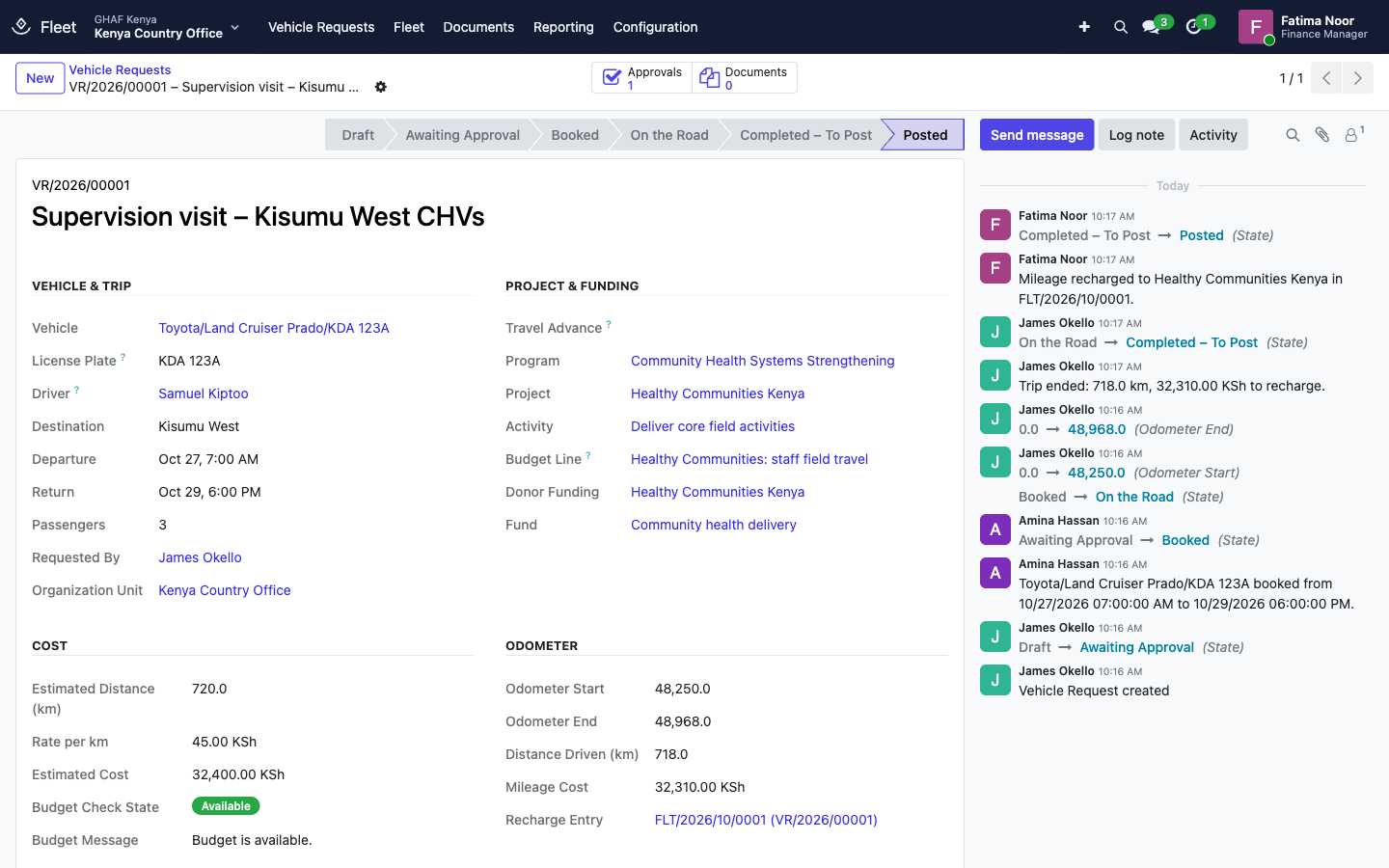
- The fleet officer posts the recharge: the project is charged, and the fleet's vehicle cost recovery account is credited. The vehicle's running costs end up spread across the projects that used it.
- Fuel, servicing and repairs are logged on the vehicle with the supplier and budget line, then posted to finance as an amount owed to the supplier.
Before you start
- Each office's vehicles are registered (Fleet › Fleet), each with its Office, Driver and Cost per km. Alternatively, set a Default Rate per km on the fleet policy.
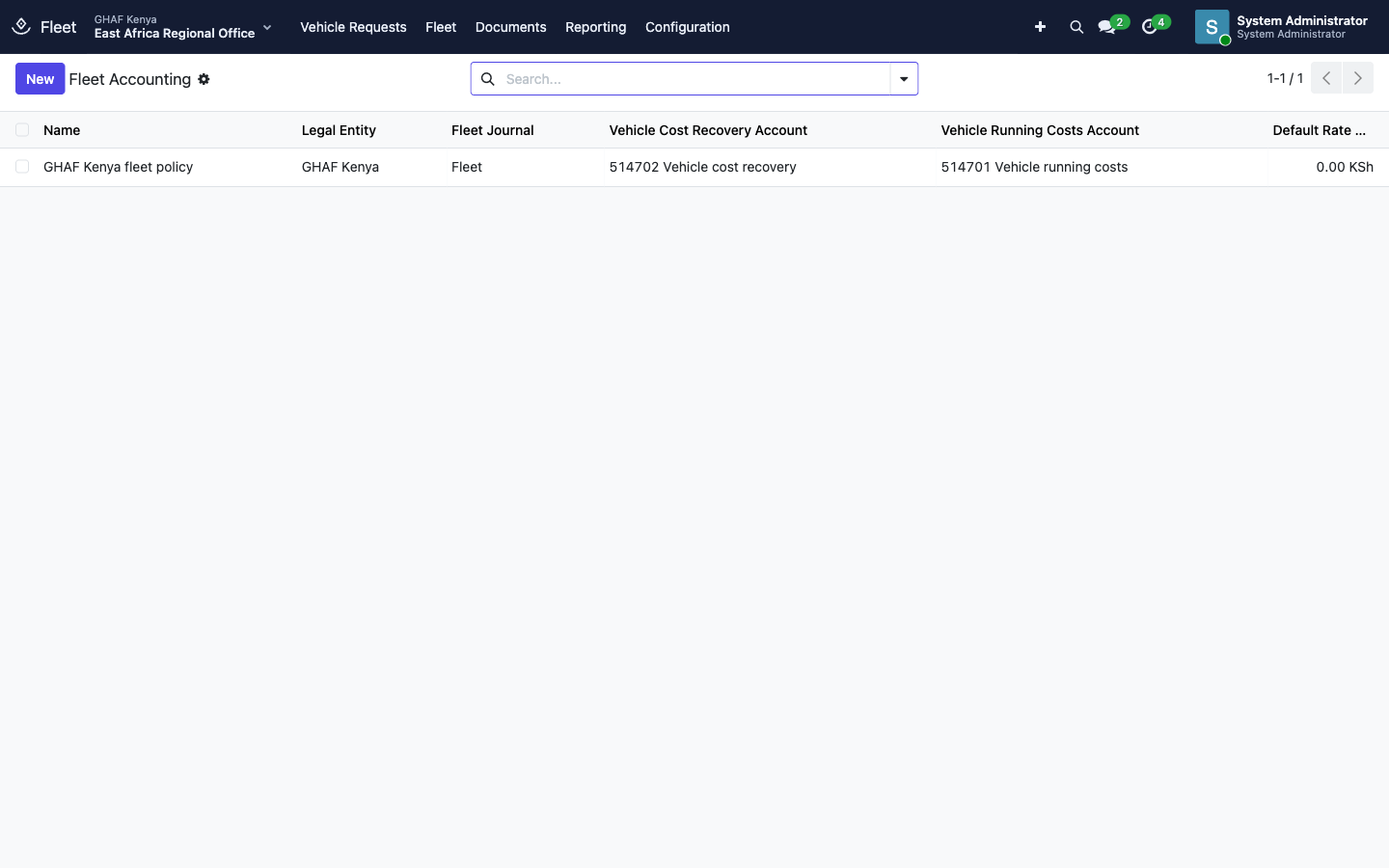
- Each legal entity has a fleet policy with the fleet journal and its vehicle running costs and cost recovery accounts (Configuration › Fleet Accounting). Amana creates one per legal entity.
- Each office has an active Vehicle Request approval policy in its currency. See the approval checklist. Without one, a fleet officer confirms bookings.
- Service types exist for the costs you log, such as Fuel and Repairs & maintenance, and fuel stations and garages exist as vendors.
- The project has an active budget line for travel or transport.
Who uses it
| Role | What they do | Access level |
|---|---|---|
| Staff member | Requests vehicles, starts and ends their trips, in Travel › My Vehicle Requests (or the Fleet tile). | Any user |
| Approver | Decides vehicle requests in Approvals. | Named in the office's Vehicle Request policy |
| Fleet officer | Sees every request, confirms bookings when no policy applies, posts recharges, logs and posts fuel and service costs, keeps vehicles and odometers. | Fleet › Officer: Manage all vehicles |
| Fleet administrator | Fleet accounting, models, reporting. | Fleet › Administrator |
| Menu | What's there |
|---|---|
| Vehicle Requests | Every booking and trip |
| Fleet | Fleet (vehicles), Contracts (leases, insurance), Services (fuel, repairs), Odometers |
| Reporting | Costs, Odometers |
| Configuration | Fleet Accounting, vehicle Models and manufacturers, settings |
A vehicle request's life
Draft → Awaiting Approval → Booked → On the Road → Completed – To Post → Posted
(or Returned, Rejected, Cancelled)
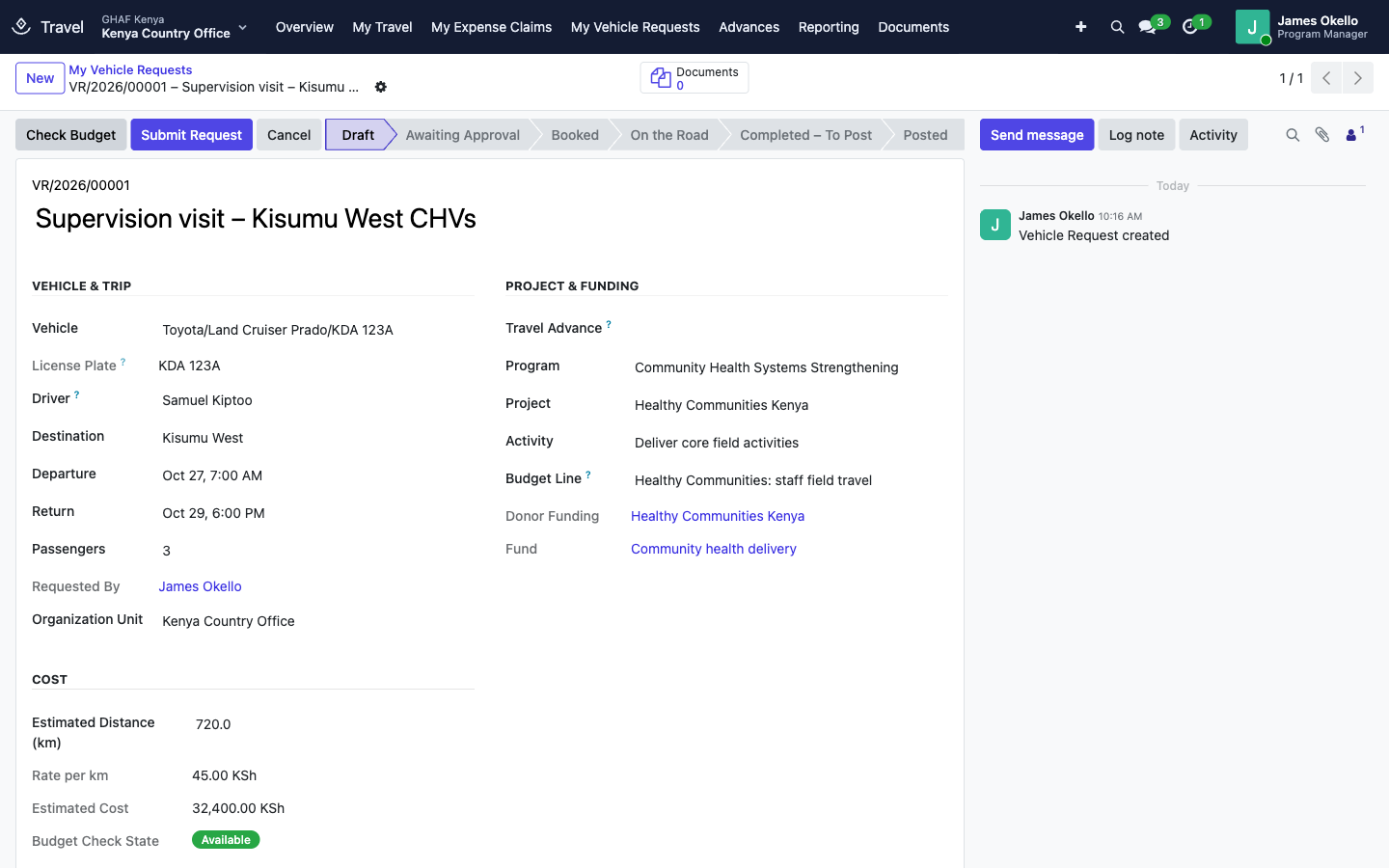
1. Request a vehicle
- Open Travel › My Vehicle Requests and click New. From a travel advance, Request Vehicle opens a request already filled from the trip.
- Enter the Purpose, the Vehicle (the Driver fills in from it), the Destination, Departure and Return, and the number of Passengers.
- Under Project & Funding, choose the Project, Activity and Budget Line.
- Enter the Estimated Distance (km). The Rate per km and Estimated Cost follow.
- Save, click Check Budget, then Submit Request.
2. Drive and record the odometer
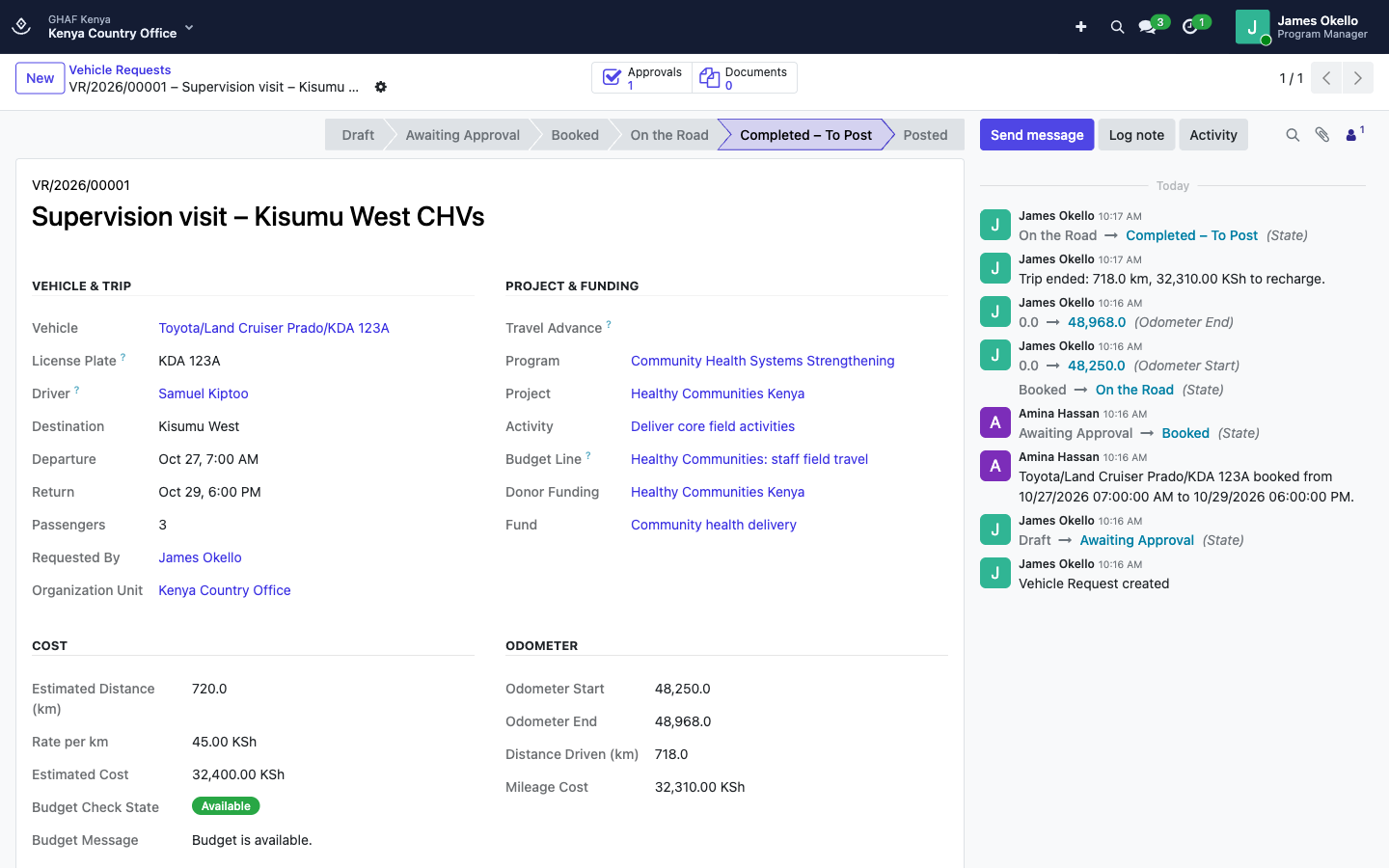
- On departure, open the request and click Start Trip. Odometer Start is taken from the vehicle's last reading. Correct it if the dashboard shows otherwise.
- On return, enter Odometer End, save, and click End Trip. Amana records the reading on the vehicle and works out the Distance Driven and Mileage Cost.
3. Post the recharge
In Fleet › Vehicle Requests, open the completed request and click Post Recharge. The entry on the fleet journal:
- Debit the budget line's account (or vehicle running costs), with the project, activity, grant and fund;
- Credit vehicle cost recovery.
4. Log fuel and repairs
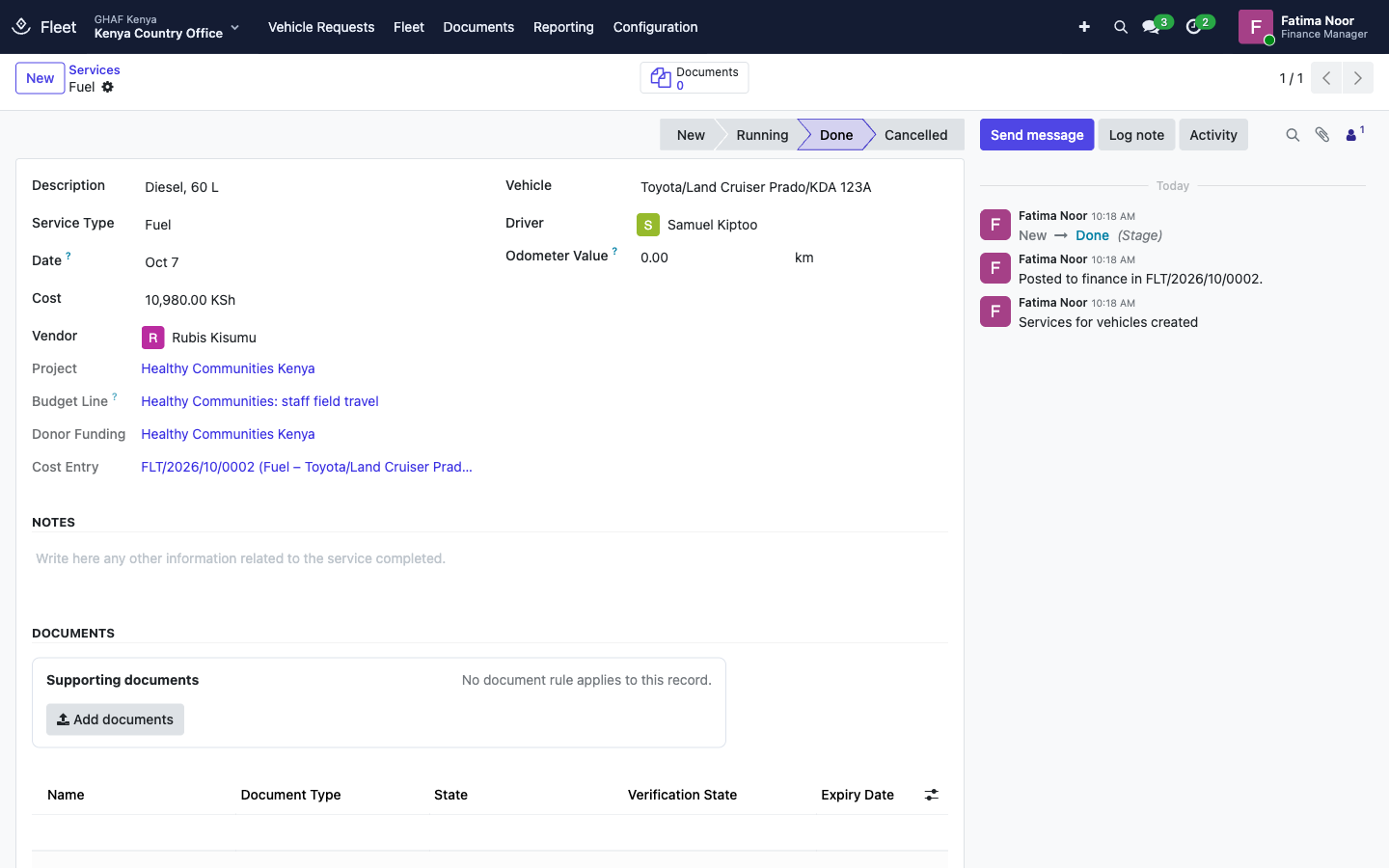
- Go to Fleet › Services and click New.
- Enter the Description, Service Type (for example Fuel), Vehicle, Cost and Vendor.
- Choose the Project and Budget Line the cost is charged to.
- Save and click Post to Finance. The cost is charged to the budget line and owed to the vendor. It's then paid like any supplier bill.
A posted cost can't be changed or deleted; reverse its journal entry in Finance if needed.
Vehicles and reports
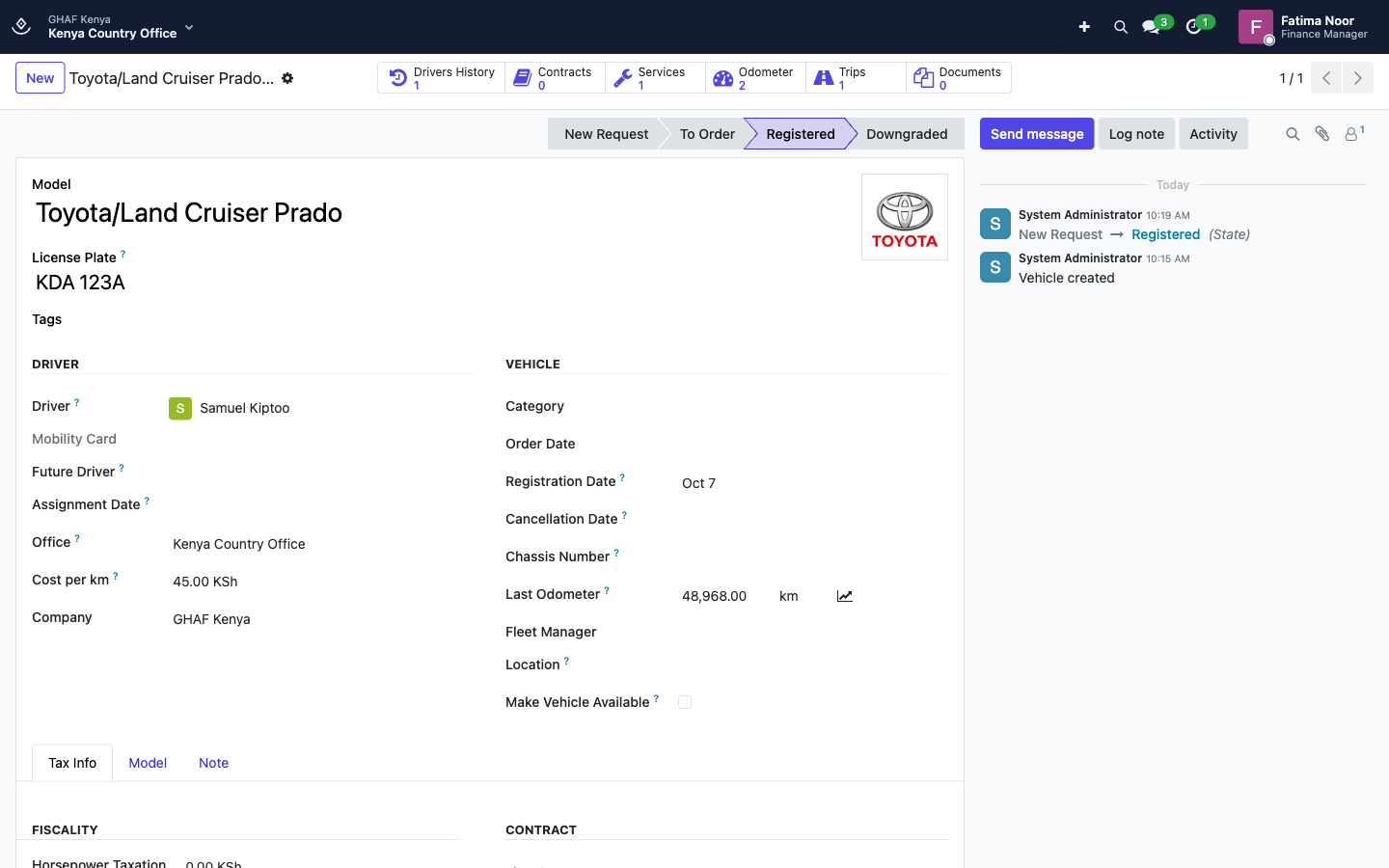
- Fleet › Fleet: each vehicle with its Office, Driver, Cost per km, last odometer, and buttons for its Trips, Services, Odometer log, contracts and documents (logbook, insurance, inspection).
- Fleet › Odometers: every reading, including those recorded by trips.
- Reporting › Costs: running costs by vehicle and type.
Configuration
Configuration › Fleet Accounting, one per legal entity: Fleet Journal, Vehicle Cost Recovery Account, Vehicle Running Costs Account (used when the budget line fixes no account), and Default Rate per km for vehicles without their own rate.
Troubleshooting
\"… is already booked from … to … (VR/…).\"
The vehicle is taken for overlapping dates. Choose another vehicle or other dates.
\"Set a cost per km on … or a default rate on the fleet policy.\"
The vehicle has no Cost per km and the fleet policy no default rate. Ask the fleet officer to set one.
\"Budget control blocks this request: …\" / \"This request needs an approved budget exception before submission.\"
The budget line can't carry the estimated cost. Choose another line, or ask for a transfer or exception.
\"Enter the odometer reading at return; it must be above ….\"
Enter Odometer End, higher than the start reading, then End Trip.
\"The starting odometer … is below the vehicle's last reading ….\"
Another trip recorded a higher reading. Correct Odometer Start to the dashboard reading when the trip began.
\"Only a fleet officer can post the mileage recharge.\" / \"Only a fleet officer can post vehicle costs.\"
Ask a fleet officer to post it.
\"A trip that has started cannot be cancelled.\"
End the trip and post it. If it was started by mistake, ask the fleet officer.